> ## Documentation Index
> Fetch the complete documentation index at: https://docs.useparagon.com/llms.txt
> Use this file to discover all available pages before exploring further.
# Polling Based Workflows
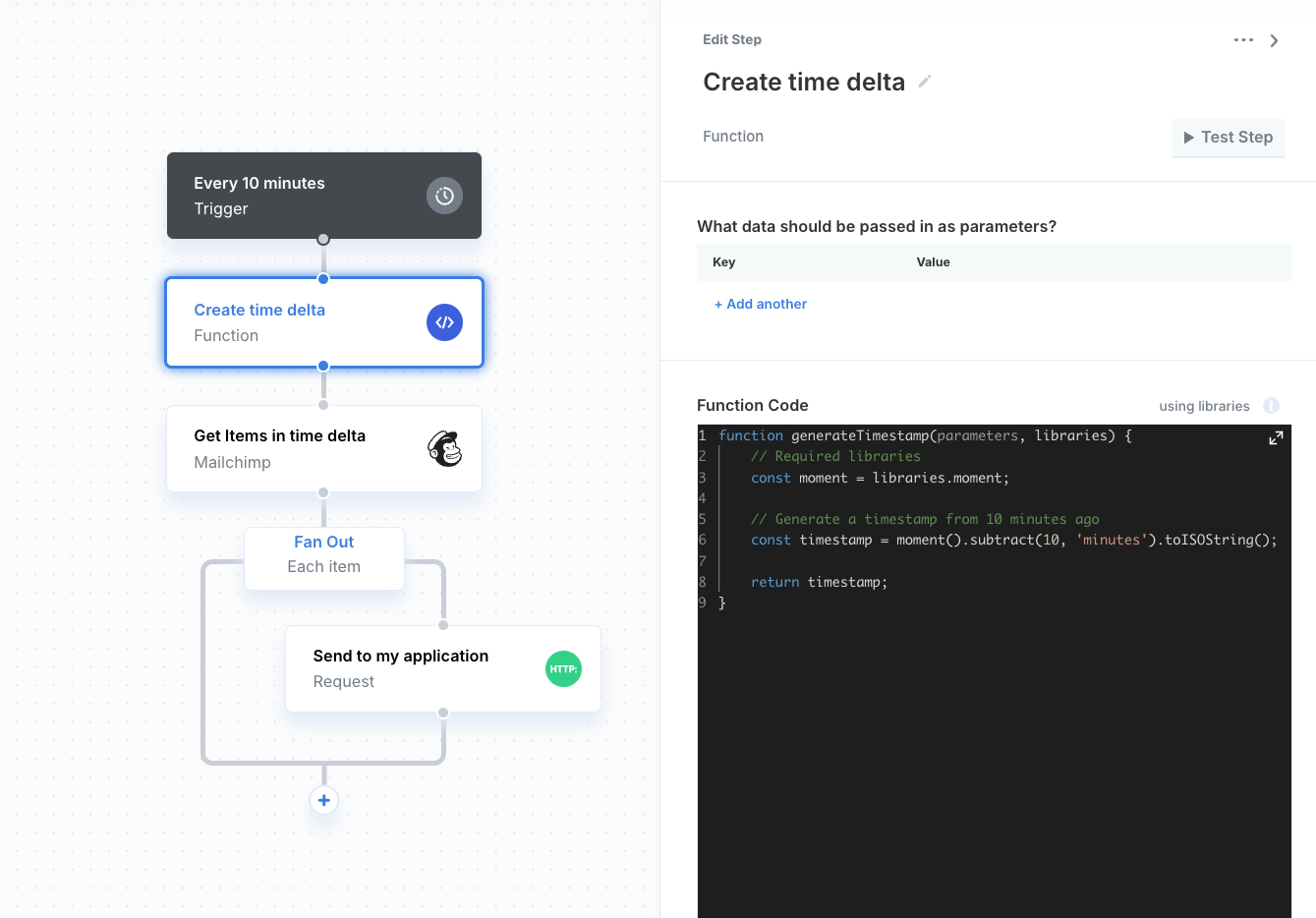
In the event that the integration provider does not have webhooks, you can build polling-based workflows that essentially work as real-time triggers for your users.
1. Create a workflow with the [Scheduler](/workflows/triggers/scheduler-trigger) trigger
2. Use a Function step to create a timestamp from the last sync time. For example, if the workflow is configured to run every ten minutes, create a timestamp from ten minutes ago.
3. Use the timestamp to filter items from the integration provider.
4. Use a [Fan Out](/workflows/using-fan-out) to iterate through every item in the array returned from the integration provider.
5. Use a [Request](/workflows/triggers/request-trigger)[](/workflows/requests)or [API Resource](/workflows/api-resources) step to send data back to your application.