> ## Documentation Index
> Fetch the complete documentation index at: https://docs.useparagon.com/llms.txt
> Use this file to discover all available pages before exploring further.
# Environment Secrets
> Securely store and access credentials across your workflows.
## Overview
Environment Secrets are global variables used for securely storing and accessing secure values across your workflows. For example, you can store a global authorization token for your API to use in all Request steps that send a request to your API.
**Note:** You must be an Admin to manage Environment Secrets. [Learn more](/managing-account/teams#managing-roles-and-permissions).
To set up Environment Secrets:
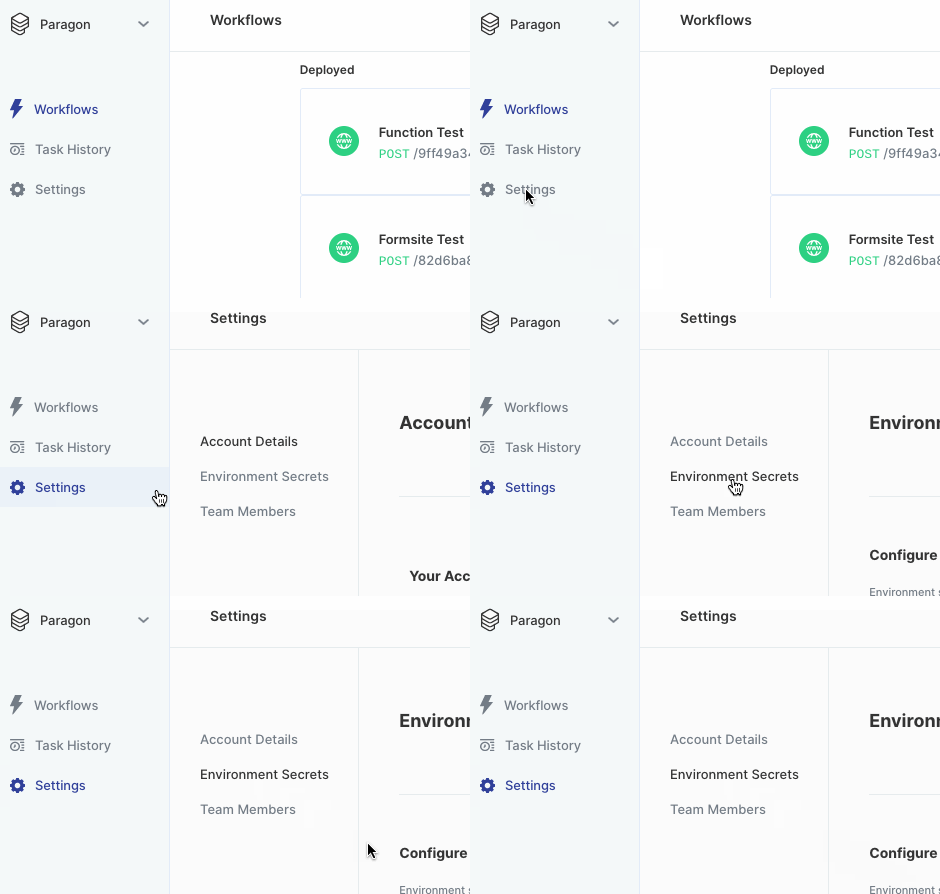
**1. Click on "Settings" in the sidebar, then click on "Environment Secrets".**
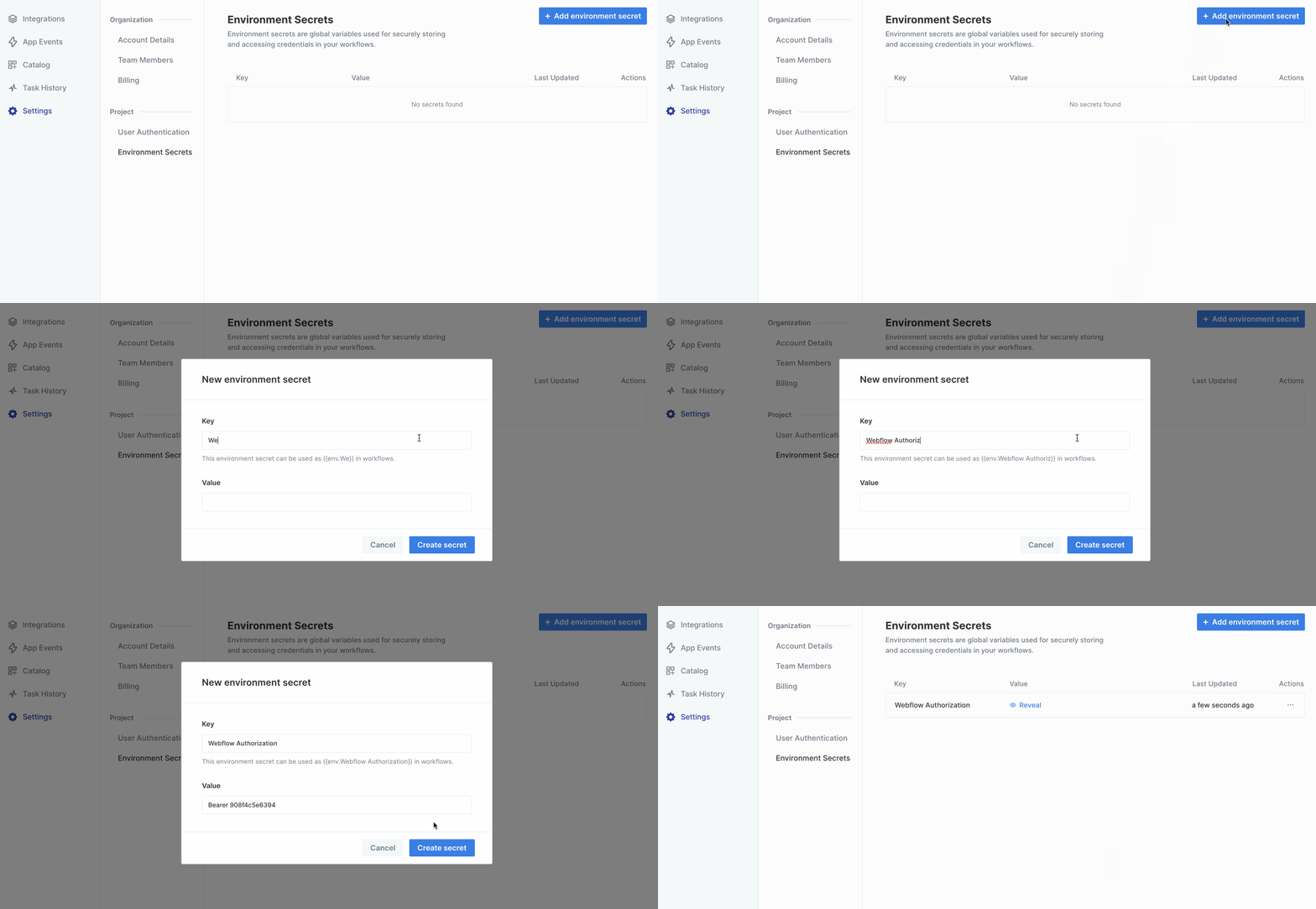
 **2. Enter details for your new Environment Secret.**
Set **Key** to a descriptive and recognizable name. This easily identifies it in the variable menu.
**2. Enter details for your new Environment Secret.**
Set **Key** to a descriptive and recognizable name. This easily identifies it in the variable menu.
 ## Using Environment Secrets
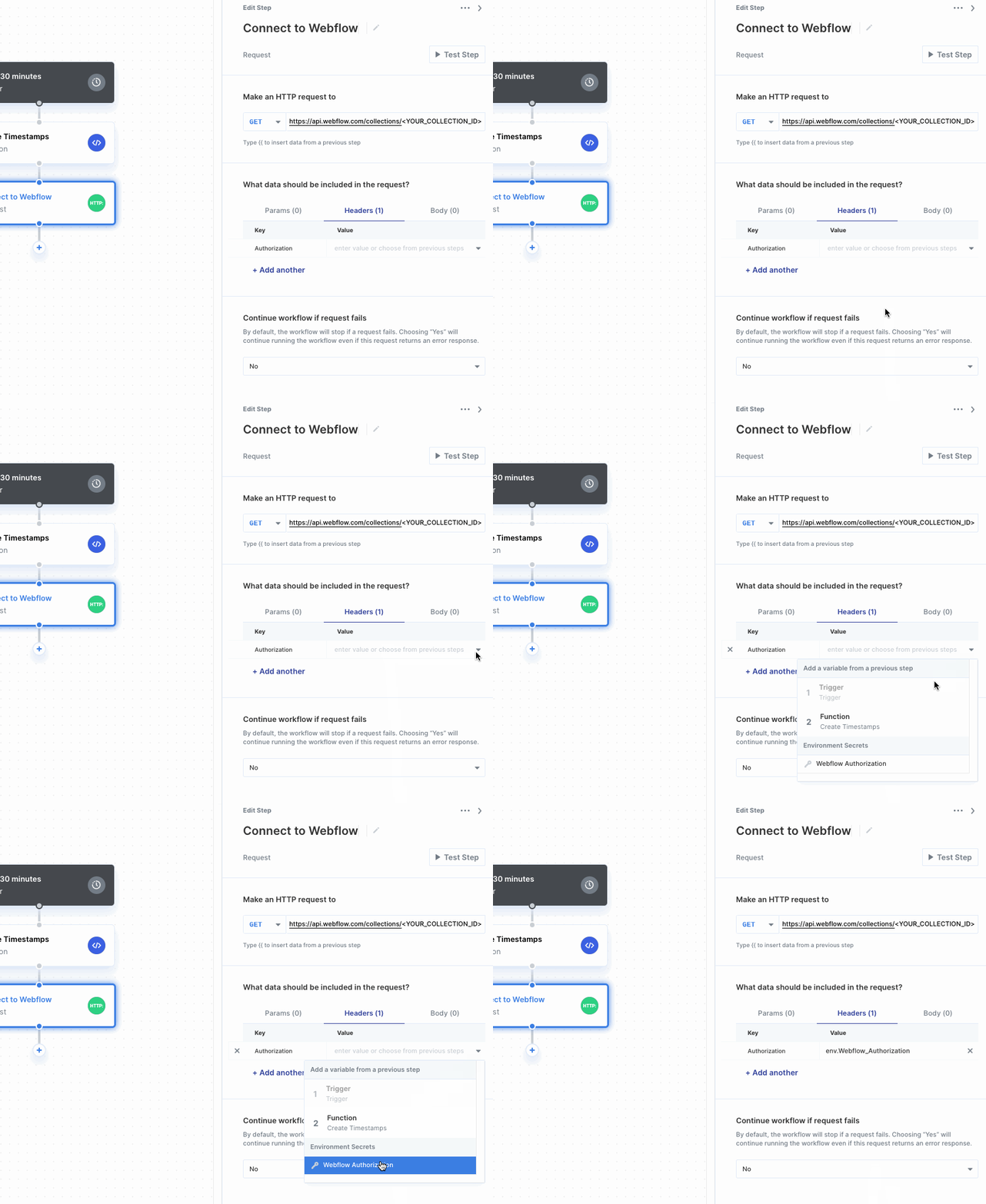
Environment Secrets appear at the bottom of the variable menu. Selecting one uses the `Value` stored in the Environment Secret.
## Using Environment Secrets
Environment Secrets appear at the bottom of the variable menu. Selecting one uses the `Value` stored in the Environment Secret.
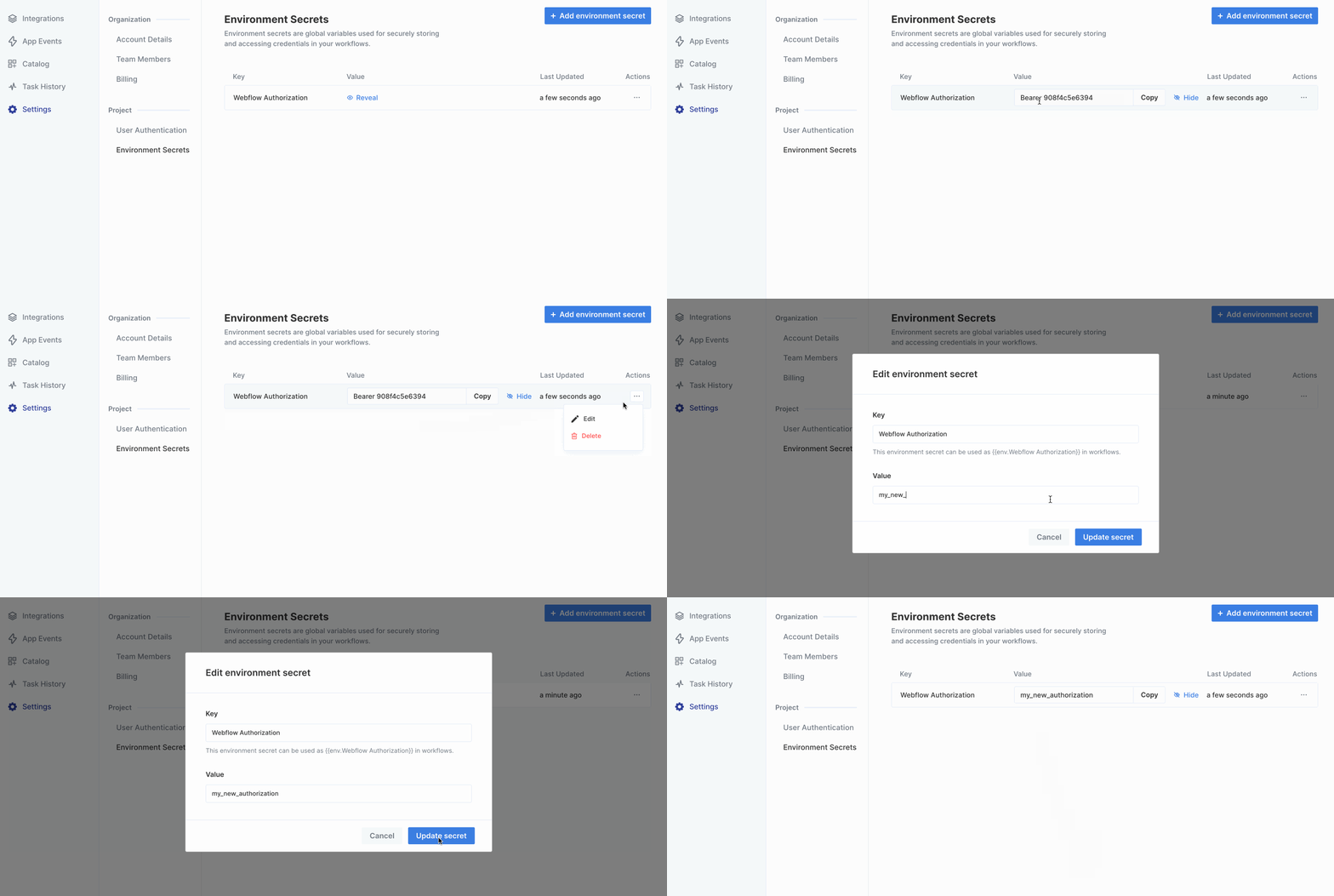
 ## Updating an Environment Secret
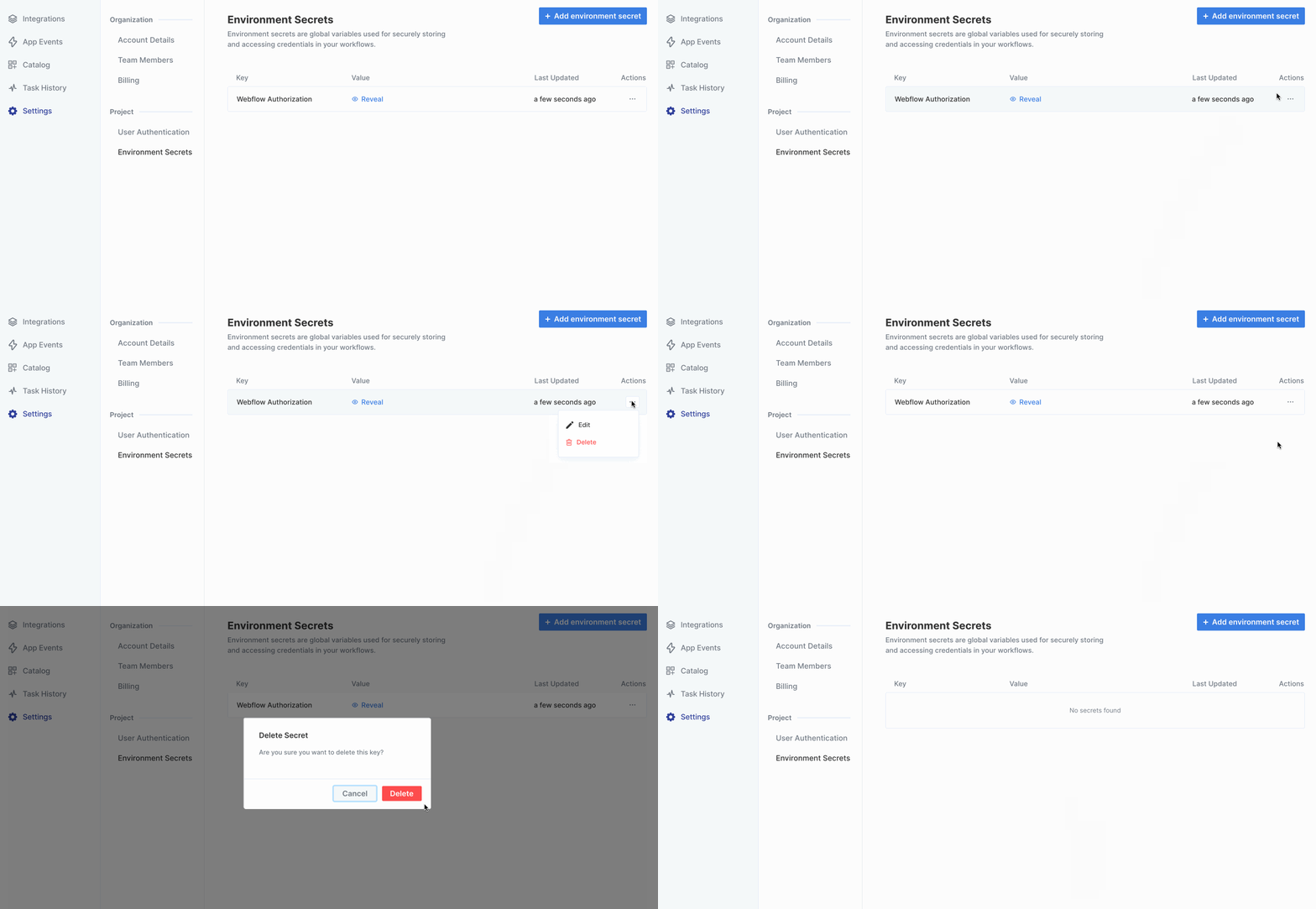
Click on the triple-dot menu to the right of the Environment Secret you'd like to update. After confirming the update, the Environment Secret will update in any workflows it's used in.
## Updating an Environment Secret
Click on the triple-dot menu to the right of the Environment Secret you'd like to update. After confirming the update, the Environment Secret will update in any workflows it's used in.
 ## Deleting an Environment Secret
Click on the triple-dot menu to the right of the environment secret you'd like to delete. After confirming the deletion, the Environment Secret will get removed from any workflows.
## Deleting an Environment Secret
Click on the triple-dot menu to the right of the environment secret you'd like to delete. After confirming the deletion, the Environment Secret will get removed from any workflows.