> ## Documentation Index
> Fetch the complete documentation index at: https://docs.useparagon.com/llms.txt
> Use this file to discover all available pages before exploring further.
# Integration Actions
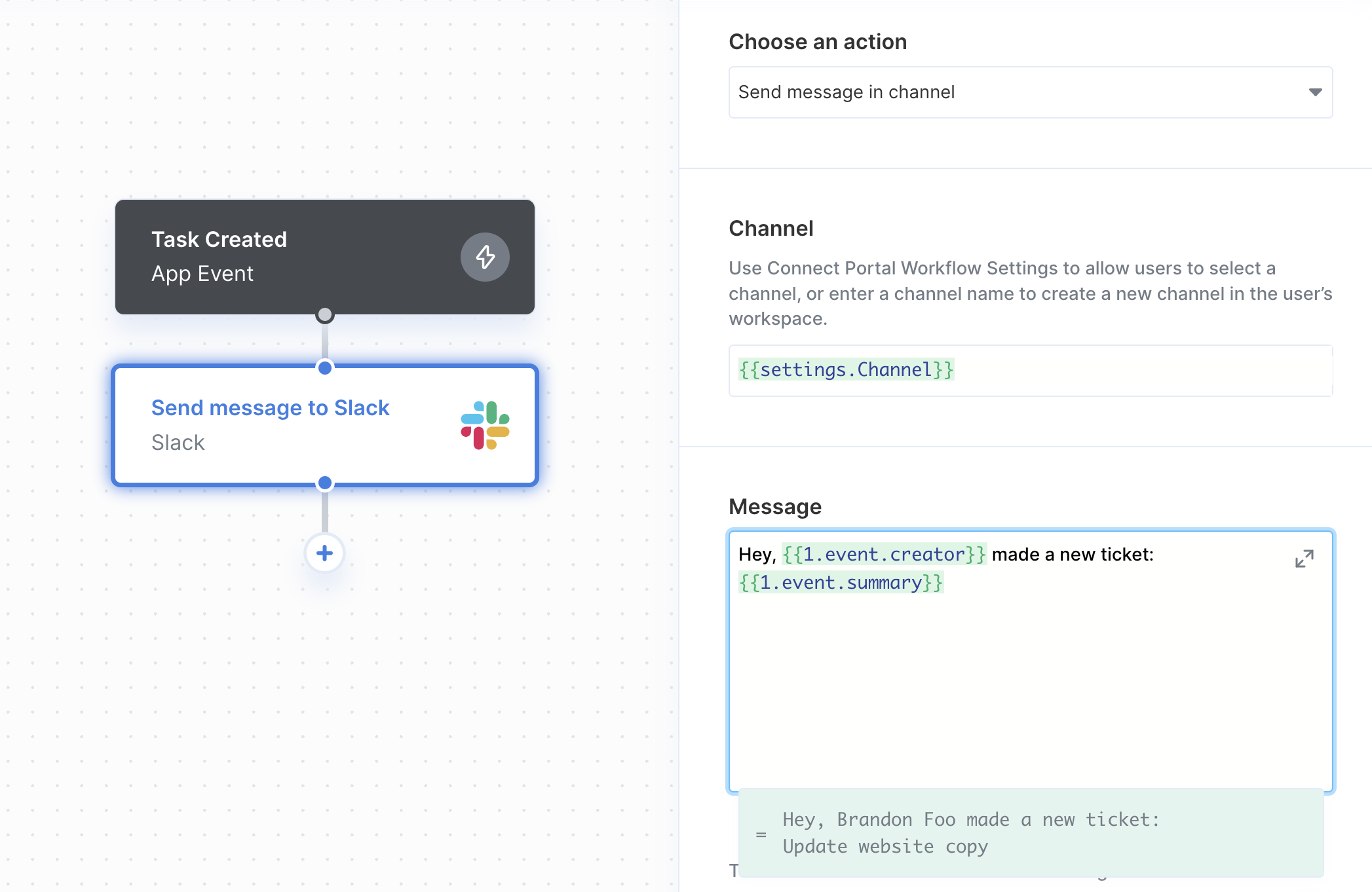
**Integration Actions, or just Actions, are the main building blocks of Paragon Workflows.** Paragon's workflow builder provides Actions for each integration provider that allow you to perform operations in your users' apps.
For example, common Actions include:
* Create a Salesforce contact
* Send a Slack message
* Update a Hubspot account
* List Google Calendar events
Paragon provides a simple-to-use UI for configuring and mapping data into each Action - making it easy to use Actions without any prior knowledge of an integration provider's API.
 ## Workflow User Settings
In some cases, you may want to provide your users the option to configure certain workflow settings. For example, if you have a Slack workflow that sends notifications to your users' workspaces, you may want to provide them the option of which Slack channel they want to send notifications to.
## Workflow User Settings
In some cases, you may want to provide your users the option to configure certain workflow settings. For example, if you have a Slack workflow that sends notifications to your users' workspaces, you may want to provide them the option of which Slack channel they want to send notifications to.
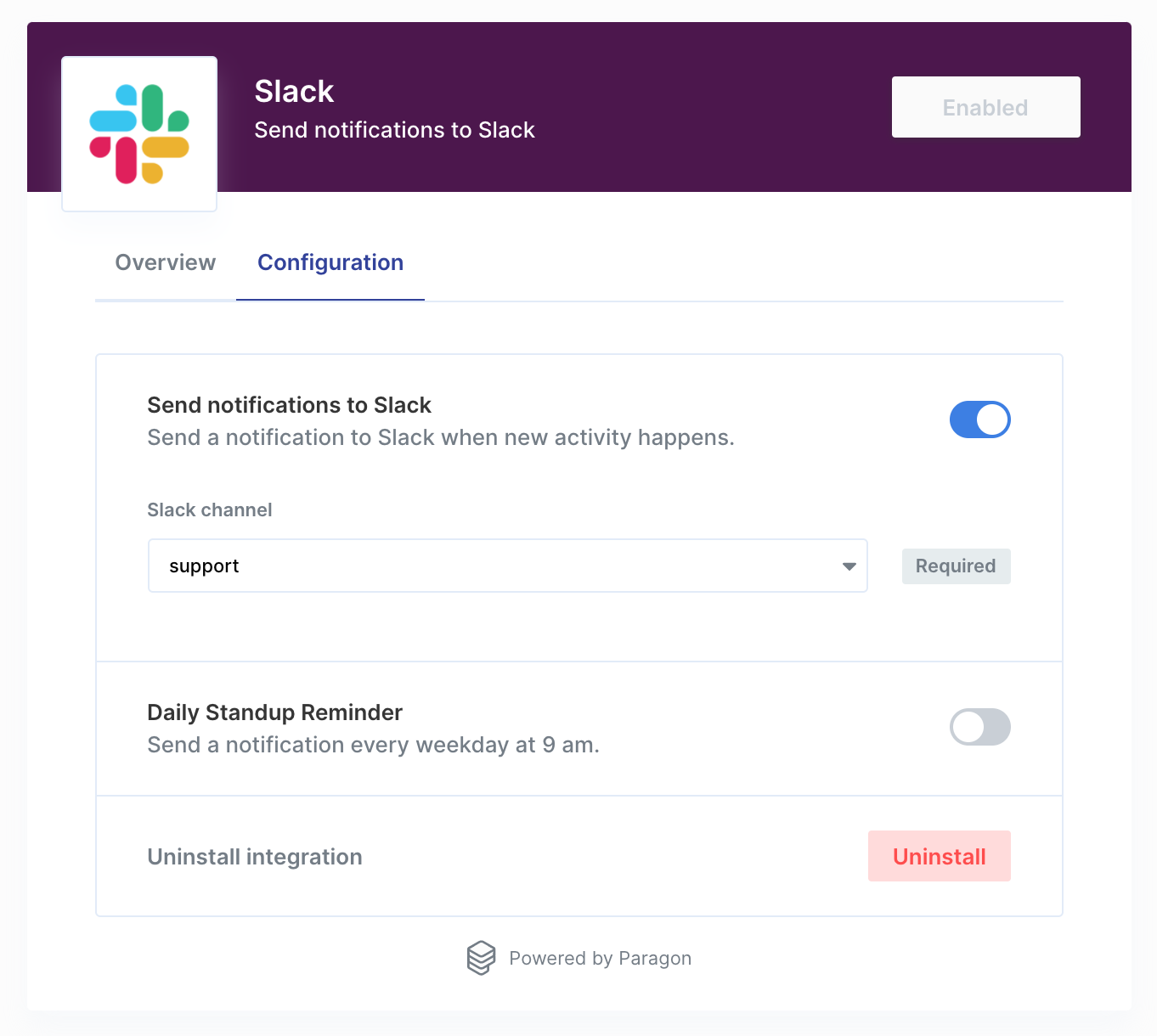 Actions in Paragon will indicate when they accept User Settings as an input parameter. In these cases, you should add the respective User Settings in the Connect Portal Editor, then use the **variable menu** by typing two left curly braces `{{` to reference that User Setting in the Action sidebar.
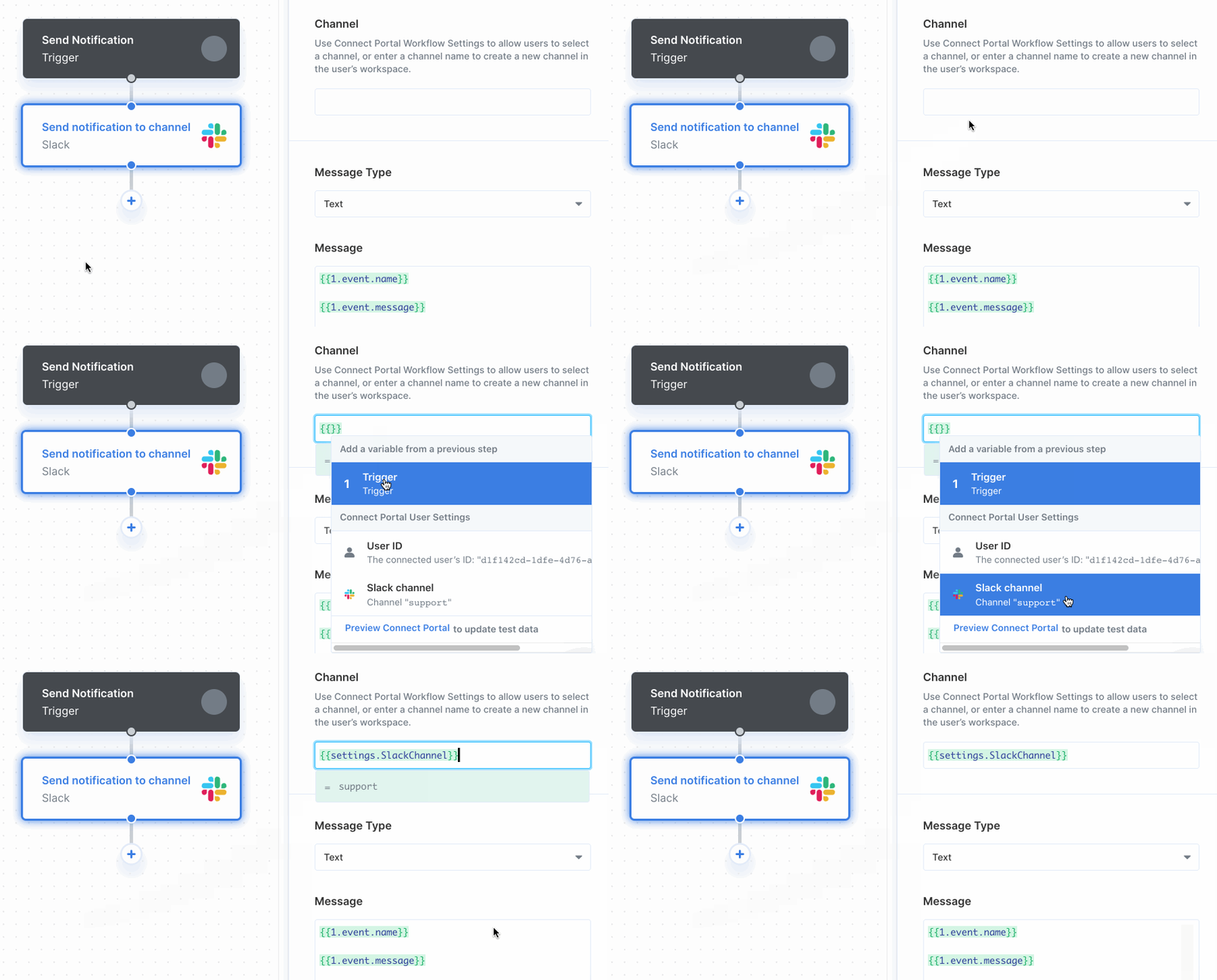 See [Workflow User Settings](/connect-portal/workflow-user-settings) for an in-depth overview of how to configure User Settings and use them in tandem with Actions.
## Using Actions
For a complete list of all Actions supported by each Integration Provider, see our [Integrations Provider section](/resources/integrations).
See [Workflow User Settings](/connect-portal/workflow-user-settings) for an in-depth overview of how to configure User Settings and use them in tandem with Actions.
## Using Actions
For a complete list of all Actions supported by each Integration Provider, see our [Integrations Provider section](/resources/integrations).