> ## Documentation Index
> Fetch the complete documentation index at: https://docs.useparagon.com/llms.txt
> Use this file to discover all available pages before exploring further.
# Integration Enabled Trigger
Integration Enabled triggers can be used to run workflows when a user initially activates your integration. For example, you might want to trigger a workflow that syncs all leads from your customer's CRM to your application once they've enabled the integration.
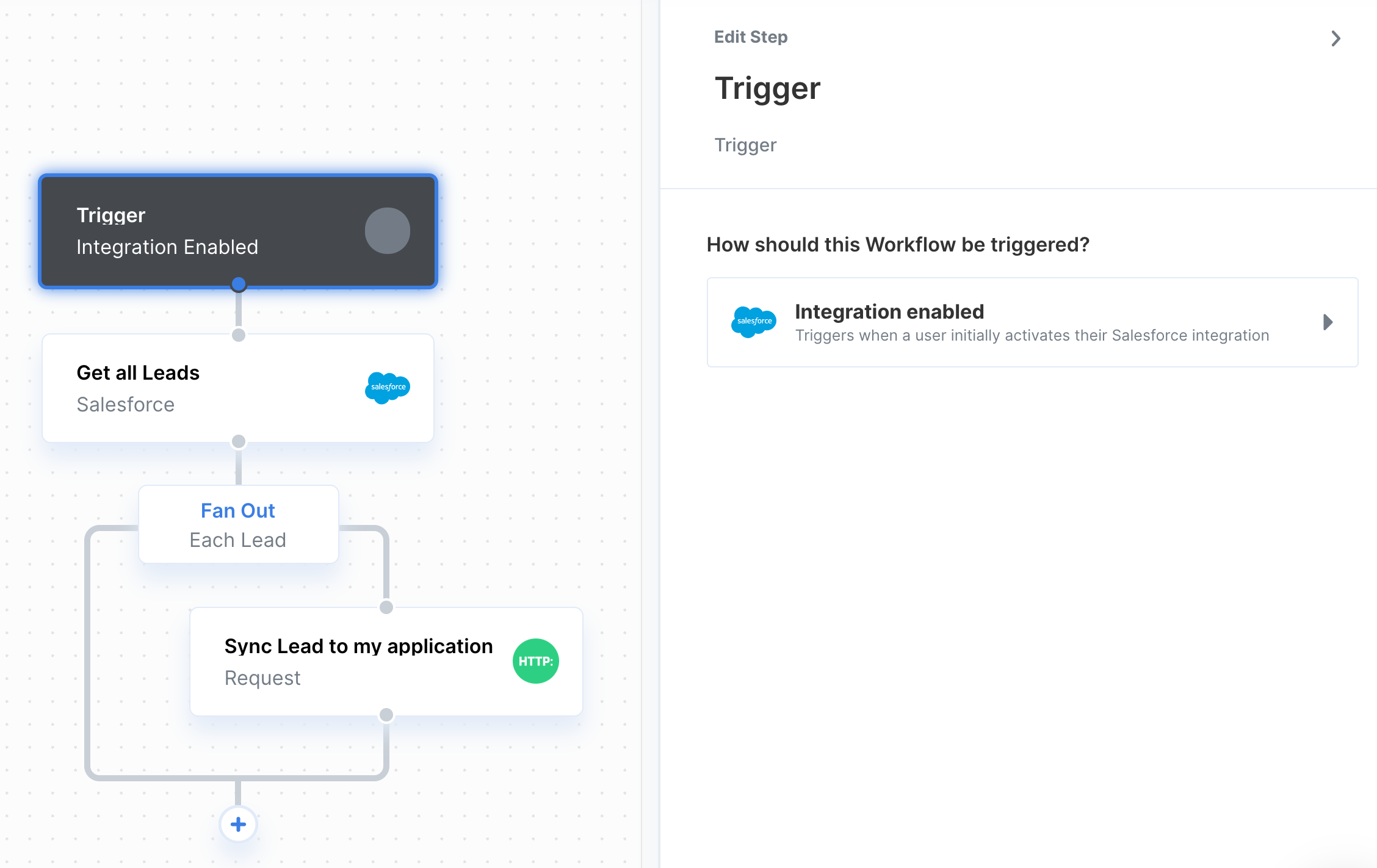 The Integration Enabled trigger will fire when your user connects their integration to an account and they have completed any required [User Settings](/connect-portal/workflow-user-settings) in the Connect Portal.
**Note:** Integration-enabled trigger workflows are displayed as **"Not Enabled"** when viewing users' integrations in the Connected Users Dashboard.
This status does not affect functionality; the workflow will trigger and execute successfully once activated by the Connected User. You can view the workflow's execution in the [Monitoring > Workflows](/workflows/viewing-workflow-executions) page.
The Integration Enabled trigger will fire when your user connects their integration to an account and they have completed any required [User Settings](/connect-portal/workflow-user-settings) in the Connect Portal.
**Note:** Integration-enabled trigger workflows are displayed as **"Not Enabled"** when viewing users' integrations in the Connected Users Dashboard.
This status does not affect functionality; the workflow will trigger and execute successfully once activated by the Connected User. You can view the workflow's execution in the [Monitoring > Workflows](/workflows/viewing-workflow-executions) page.