> ## Documentation Index
> Fetch the complete documentation index at: https://docs.useparagon.com/llms.txt
> Use this file to discover all available pages before exploring further.
# Using Dynamic Variables
> Pass data from your application, the Connect Portal, and previous steps.
## Overview
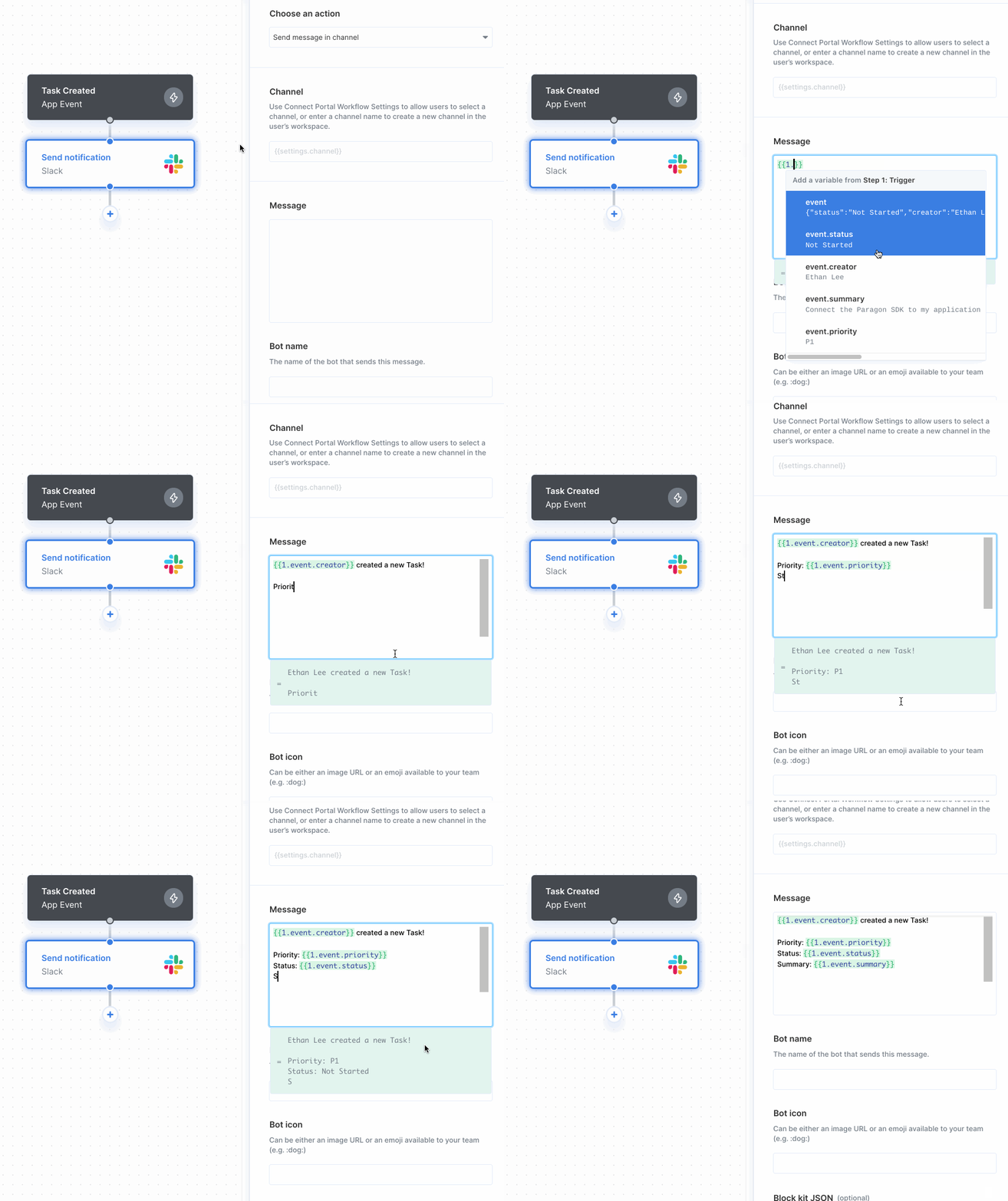
The Dynamic Variable Menu allows you to select data from your application, the Connect Portal, or previous steps. For example, you might want to dynamically reference data from your application's actions when creating new messages in Slack.
## Accessing Dynamic Variables
To access the Dynamic Variable Menu:
1. Click into any text input box.
2. Type two left curly braces `{{` .
3. Select the step you want to pull data from.
4. Select the specific reference you want to use.