

 Managed Sync
 ActionKit
 Workflows
Webhook URLs
By default, trigger subscriptions will send events to the URL that you have configured via the dashboard for the associated project. You can set or change your project’s Webhook URL by going to the Settings > ActionKit page of your dashboard: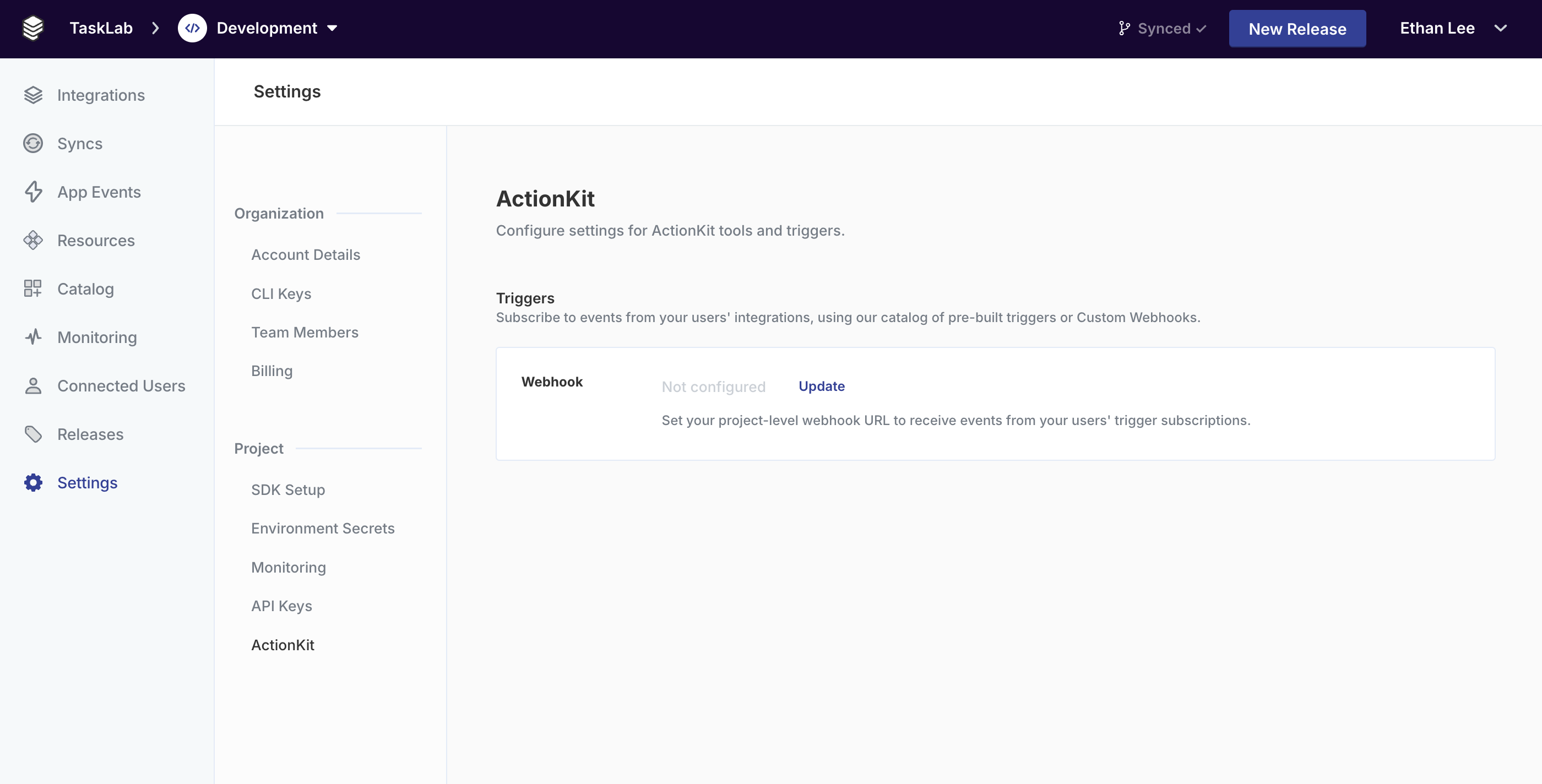
webhookOverride property to the API when you subscribe:
Signing secret
Your signing secret is automatically generated when you first save your webhook configuration. You can find it in the ActionKit section of your project settings under Signing Secret. To view your signing secret:- Navigate to Settings > ActionKit in your Paragon dashboard.
- Click Reveal next to the Signing Secret row.
- Copy the secret for use in your webhook verification logic.
Webhook Payloads
Every webhook payload has a few standard properties, including a HMAC-SHA256 signature that can be used to validate the trigger payload. The trigger event data will be available in thepayload key.
Example
required
HMAC-SHA256 signature of the webhook JSON body, preceded by the versioning prefix
v1=. Use this to validate the authenticity of this event as delivered by Paragon, with the project-specific webhook secret found in your project settings.string
required
A unique ID for this event. Use this ID for event deduplication in case Paragon sends multiple requests to your webhook for the same event.
string
required
The ID for the Connected User that this trigger fired for. This is the same ID that is passed to the
sub claim of the Paragon User Token (JWT).string
required
The name of the integration that this trigger fired for.Example:
salesforcestring
required
The
type of trigger that fired.Example: SALESFORCE_TRIGGER_RECORD_CREATEDobject
required
The event payload as received from the trigger. The schema of this object will vary depending on the trigger type. You can get example objects to use as the schema for this trigger with Get Example Payloads.
Show all properties
Show all properties
uuid
required
The UUID of the trigger subscription that fired.
uuid
required
The UUID of the user’s credential that triggered this event.
uuid
required
The UUID of the Paragon project.
string
required
An ISO datetime string of the original date that this event was received. You can use this to sequence events if necessary.
object
If this trigger subscription was created with
metadata passed in webhookOverride, then the metadata will be passed in this field of the incoming webhook body.Verifying webhook signatures
Use thex-paragon-signature header to confirm that the payload was sent by Paragon and has not been tampered with.
Verification steps
1
Extract the signature
Read the
x-paragon-signature header from the incoming request and remove the v1= prefix.2
Compute the expected signature
Create an HMAC-SHA256 hash of the raw JSON request body using your signing secret, then hex-encode the result.
3
Compare signatures
Use a timing-safe comparison to check whether the computed signature matches the signature from the header.