

 Managed Sync
 ActionKit
 Workflows
Configuring your Webhook URL
You can set up your Webhook URL in the Paragon dashboard to start receiving events about your Syncs. Navigate to the Syncs page in the dashboard to set your Webhook URL for a specific Paragon project: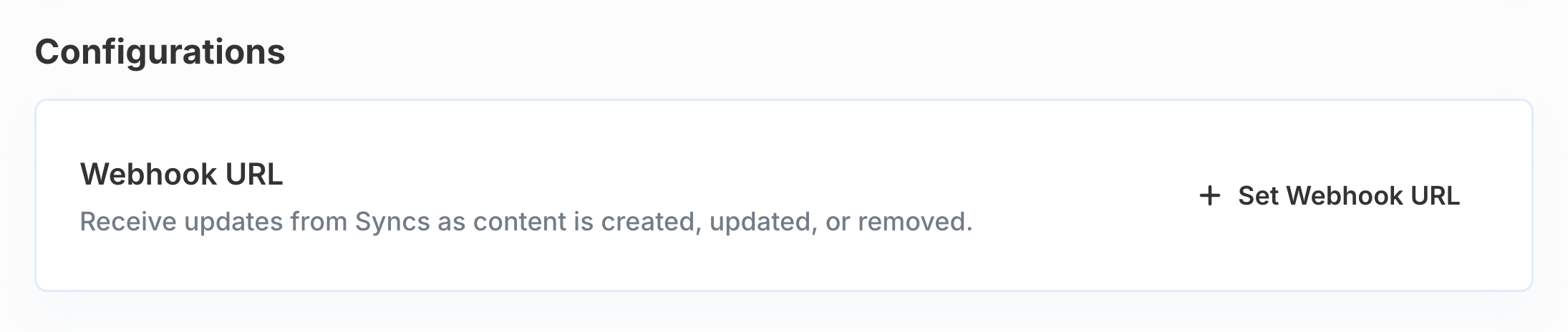
POST requests with a 2xx HTTP status in a timely manner. If your webhook fails to respond repeatedly, we may disable your webhook.
Webhook URL verification
When you save a Webhook URL, Paragon sends a verification request to the URL before accepting it. The verification request is aPOST with the following payload:
Webhook URL returned HTTP <status>: your endpoint responded with a non-2xx status code.Webhook URL connection timed out: your endpoint did not respond in time.Webhook URL is unreachable: Paragon could not connect to the URL (for example, a DNS or connection error).
webhook_verificationis not a Sync event. It does not includesyncInstanceId,sync, oruserproperties.- The
idis a fresh UUID generated for each save. Unlike delivery IDs, it is not stable across retries and should not be used for deduplication. - No response body is required. Returning an empty 200 response is sufficient:
id to deduplicate retried deliveries.
Receiving Webhook Events
All webhook events will be sent to your configured Webhook URL as aPOST request.
Each webhook event will include the following standard properties to identify the related Sync and User:
Delivery IDs
Managed Sync delivers webhooks at least once. HTTP retries and redelivery can produce multiple events. Every payload includes a top-levelid string that uniquely identifies that delivery. Use id as an idempotency key: process each value once and ignore later requests with the same id.
- Stable across retries: retried deliveries of the same event reuse the same
id. - Unique per delivery: distinct events receive different IDs, including later updates to the same record.
Event Types
The full list of possibleevent type values are as follows:
sync_completesync_erroredrecord_createdrecord_updatedrecord_deletedrecord_errored
sync_complete
This event is sent when an Initial Sync has completed successfully.
Example payload
sync_errored
This event is sent when a Sync has failed with a non-recoverable error and cannot continue without intervention. After this event is sent, the Sync status field will be set to ERRORED.
Paragon only emits sync_errored for non-recoverable (permanent) errors. Transient errors like rate limits (HTTP 429), temporary network failures, and expired access tokens are handled automatically by Managed Sync with backoff and retry logic - they do not trigger this webhook, and no action is required on your part.
The most common category of non-recoverable errors is credential errors, which occur when the end user’s connected credential is no longer valid (for example, the user has revoked access, deleted the credential, or the refresh token has permanently expired). These errors require the end user to reconnect the integration through the Connect Portal before the Sync can resume.
Credential error
ERRORED state until the underlying issue is resolved and the Sync is re-enabled.
The error object includes a stable code field you can use for programmatic handling. See the error code reference below for a full list of codes and recommended actions.
record_created
This event is sent when a Sync has discovered a new record (determined by a permanent ID or path available in the integration provider) during its Incremental Sync.
Create events do not provide any record data as a part of the event payload, but you can use the Get Synced Record endpoint to get the latest data.
Example payload
record_updated
This event is sent when a Sync has discovered an update to an existing record during its Incremental Sync.
Update events do not provide any record data as a part of the event payload, but you can use the Get Synced Record endpoint to get the latest data.
Example payload
record_deleted
This event is sent when a Sync has discovered that a record has been deleted or is otherwise unavailable to the connected account (for example, the record’s access has been revoked from your user).
When records are deleted, the contents of their metadata are removed from the Sync, and you can no longer retrieve the synced object or its associated file data. However, the Pull Synced Records endpoint will provide a sparse entry with the id and external_id property for visibility on the deletion.
These events are sent after a successful Periodic Full Sync.
Example payload
record_errored
This event is sent when a Sync has encountered an error while processing a record (for example, fetching permission data for this record). This event does not affect the Sync’s status field, and the Sync will continue processing other records.
Example payload
Error Codes
Theerror object in error webhook payloads (including sync_errored or record_errored) include a stable code field alongside the human-readable message.
Use this field for programmatically reacting to known error types and taking suggested actions (listed below).
The same codes appear in the errorCode field of the Get Sync Status response when a Sync is in the ERRORED state, alongside the reason message and, for third-party API failures, the httpStatusCode returned by the integration’s API.
Credential errors
These errors indicate the user’s connected credential is invalid, expired, or has been removed. All credential errors include the message: “Credential ID <id> is no longer valid or has been deleted.” Suggested action: Prompt the end user to re-authenticate the integration through the Connect Portal.| Code | Description |
|---|---|
PROXY_7300 PROXY_7301 PROXY_7306 PROXY_7317 | Credential not found (can occur if the credential that the sync is explicitly bound to has been deleted) |
PROXY_7303 | Credential is in an invalid state (e.g. revoked or expired) |
PROXY_7311 | Credential configuration not found |
PROXY_7325 | Credential not found for external ID |
PROXY_01101 | Credential could not be decrypted (deleted or corrupted) |
PROXY_11002 | Integration is not enabled for this user |
Authorization errors
These errors indicate an HTTP-level authorization failure when calling the third-party API. The user’s access token may have expired or been revoked, or the user may lack required permissions in the third-party service. Suggested action: Prompt the end user to re-authenticate the integration through the Connect Portal.| Code | Description |
|---|---|
PROXY_401 | Third-party API rejected the request as unauthorized |
PROXY_403 | Third-party API rejected the request as forbidden (insufficient permissions or scopes) |
Configuration errors
These errors indicate a problem with how the sync was configured (for example, a required parameter is missing or invalid, or a referenced resource is no longer available in the third-party service). Suggested action: Check the sync configuration, correct any issues, and recreate the sync.| Code | Description |
|---|---|
10006 | A required sync configuration parameter is missing or invalid. |
10007 | Root resource not found A root resource selected when the sync was created (such as a folder, site, space, or drive) is no longer accessible in the third-party service. This typically means the resource has been deleted, moved, or the end user has lost access to it. Recreate the sync with a valid root resource. |
Account limit errors
| Code | Description |
|---|---|
10003 | The sync has reached its trial record limit. Contact your Customer Success Manager to upgrade your account limits. |
System errors
These errors indicate an internal issue with the sync process and do not require action from the end user. Contact Paragon support if the error persists.| Code | Description |
|---|---|
10001 | Pipeline does not support permissions The sync attempted a permission-based operation that the integration does not support. |
10004 | Job stalled more than allowable limit The sync job became unresponsive after multiple retry attempts. |
10005 | Failed to download content The sync was unable to download file content from the third-party service. |
20005 | Authorization model not found An internal permissions model required by the sync could not be located. |
00000 | Varies An unclassified error occurred. Refer to the message field for details. |
PROXY_ that are not listed above indicate a failure from an upstream service. Treat them as unrecoverable and refer to the message field for details.