Managed Sync
 ActionKit
 Workflows
Overview
Environment Secrets are global variables used for securely storing and accessing secure values across your workflows. For example, you can store a global authorization token for your API to use in all Request steps that send a request to your API.Note: You must be an Admin to manage Environment Secrets. Learn more.
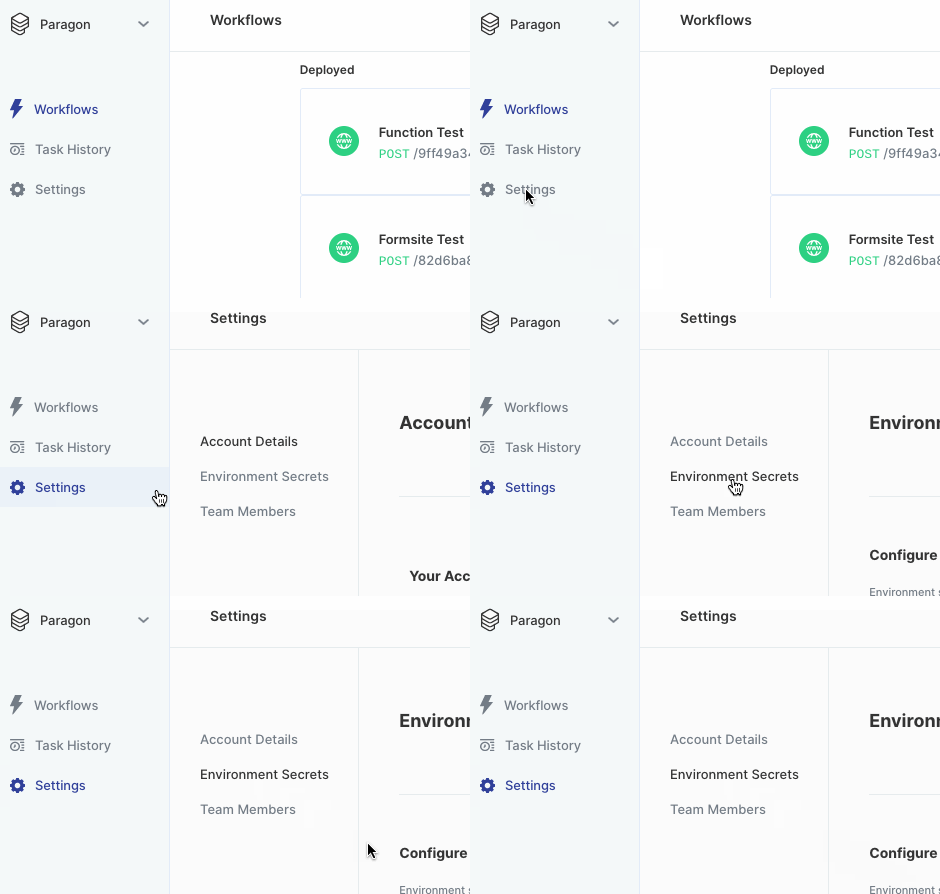
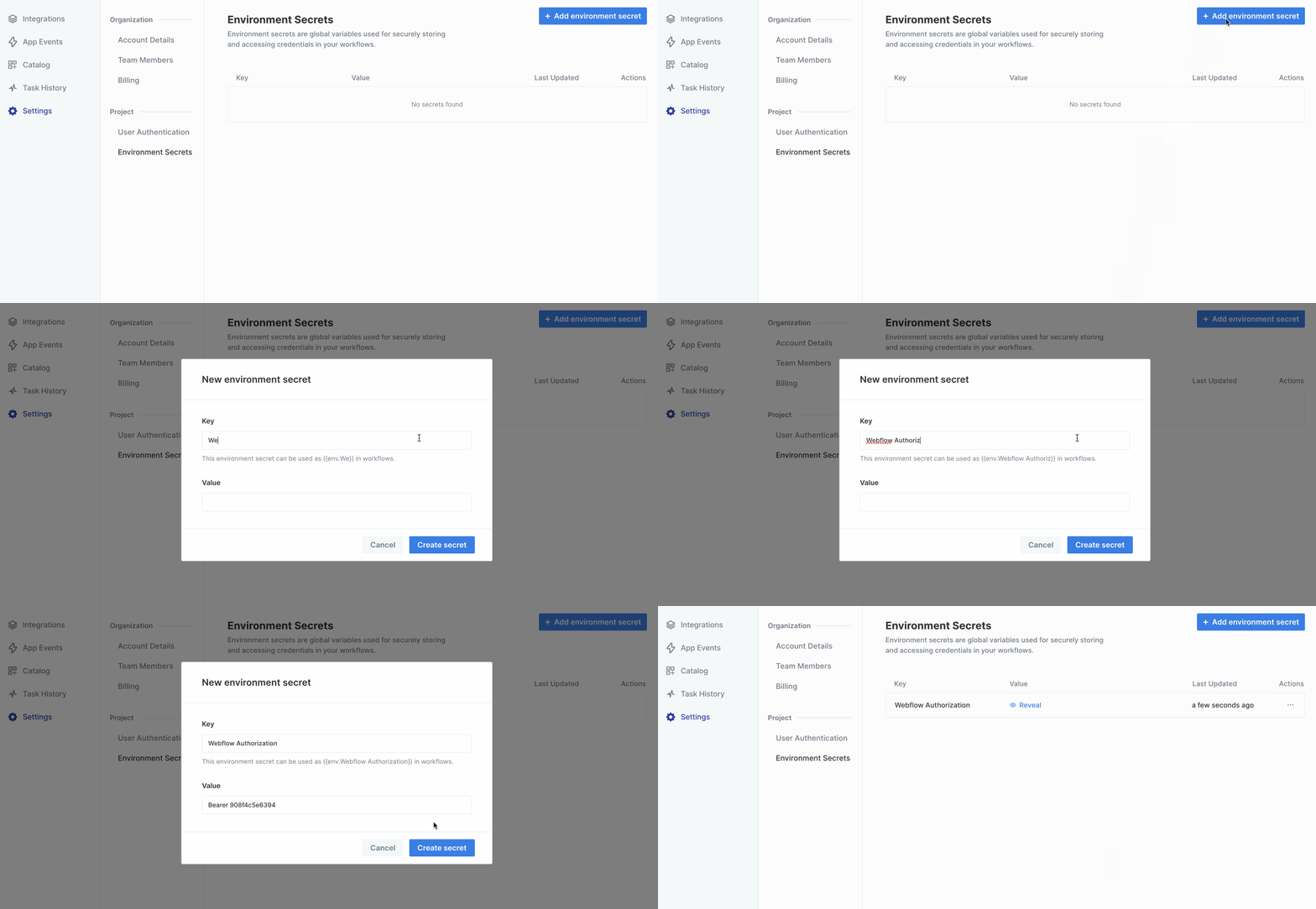
Using Environment Secrets
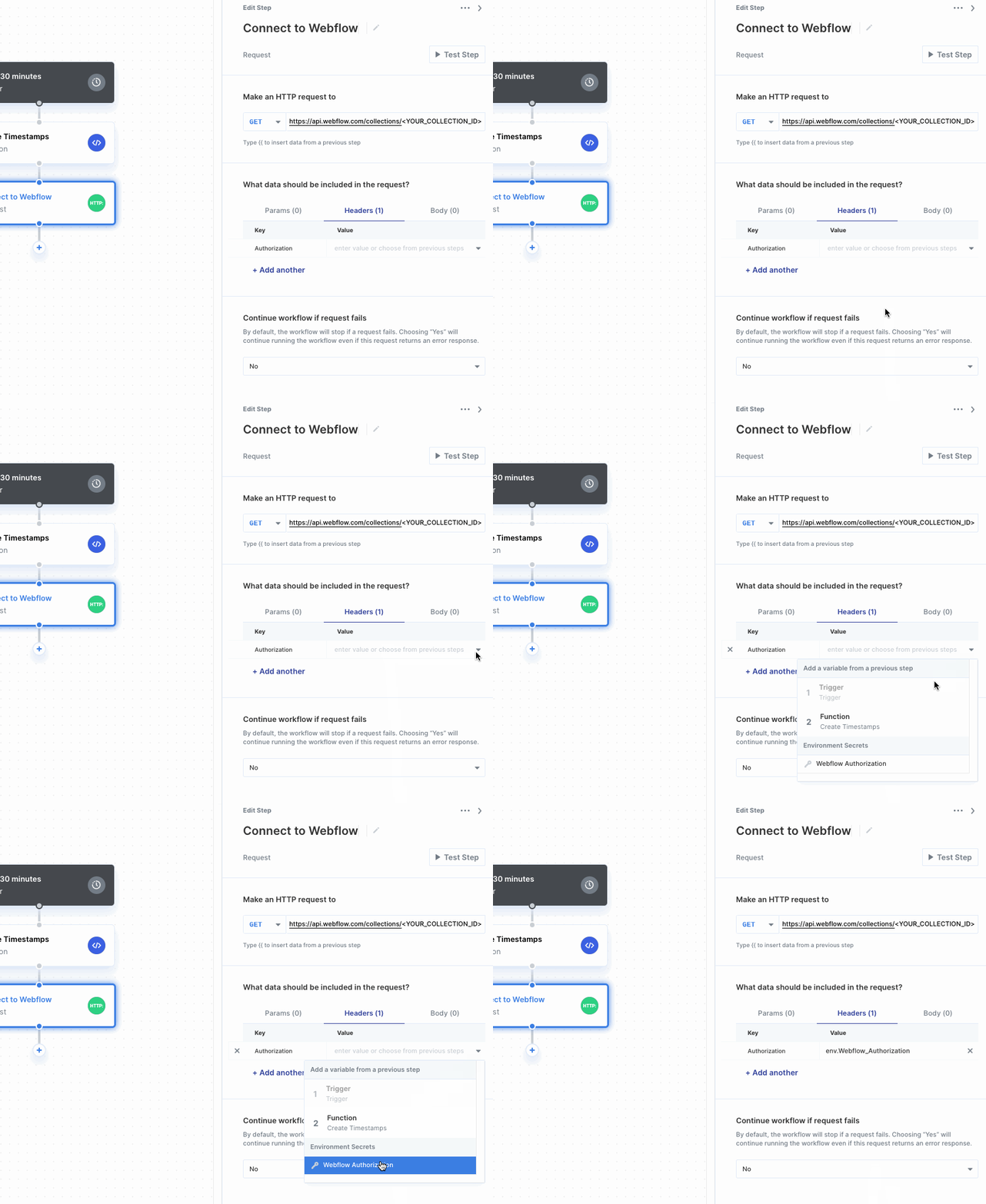
Environment Secrets appear at the bottom of the variable menu. Selecting one uses theValue stored in the Environment Secret.
Updating an Environment Secret
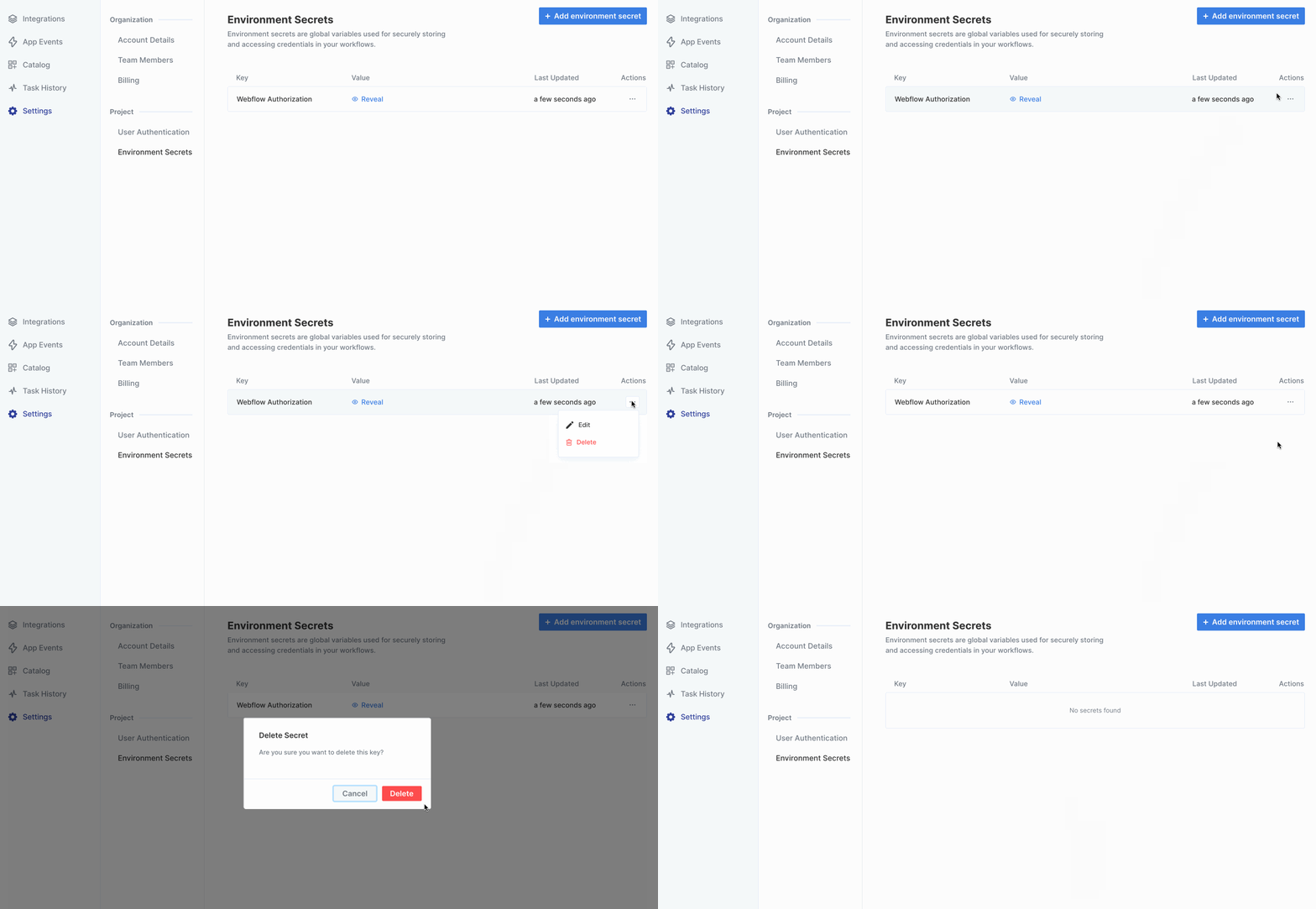
Click on the triple-dot menu to the right of the Environment Secret you’d like to update. After confirming the update, the Environment Secret will update in any workflows it’s used in.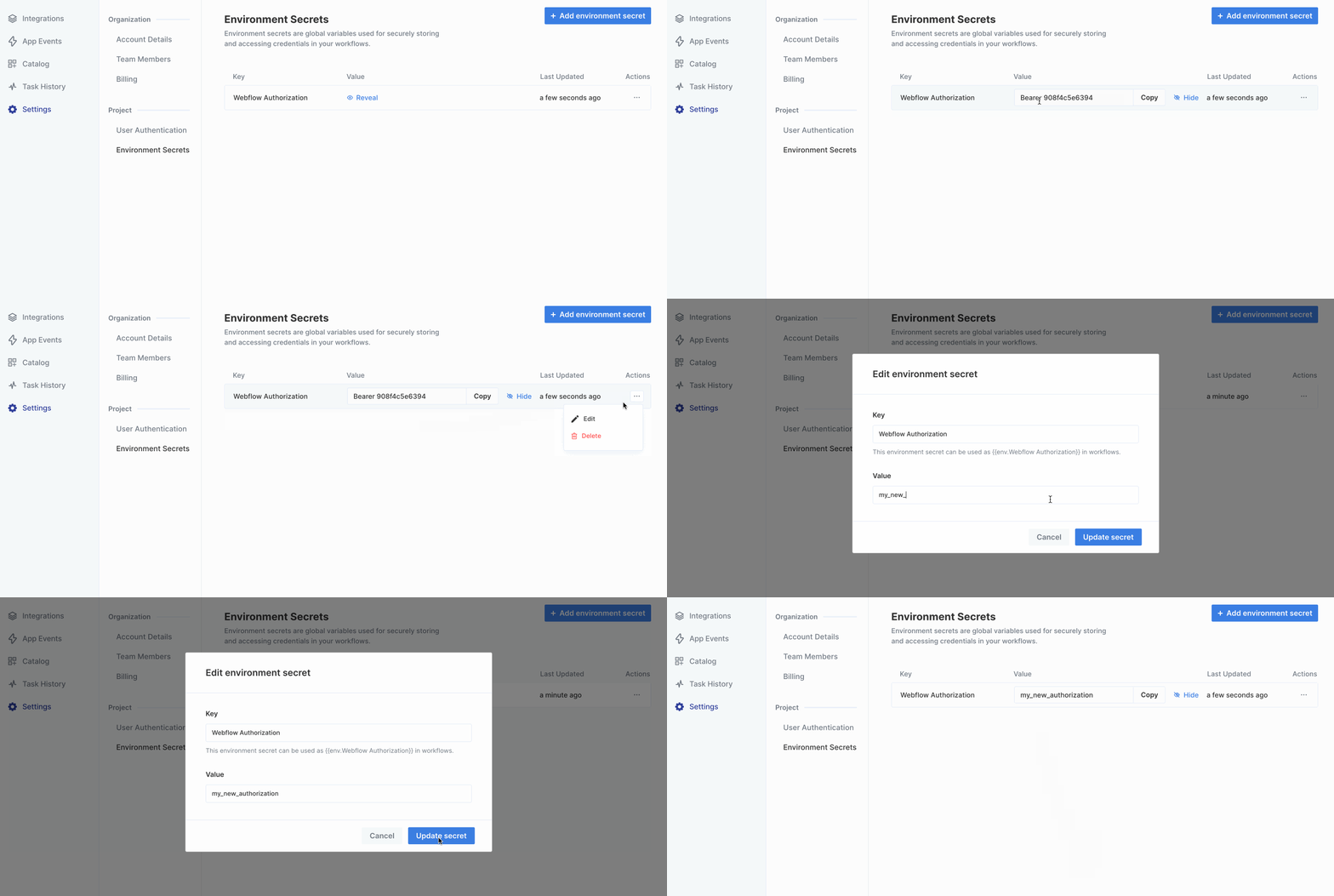
Deleting an Environment Secret
Click on the triple-dot menu to the right of the environment secret you’d like to delete. After confirming the deletion, the Environment Secret will get removed from any workflows.