Managed Sync
 ActionKit
 Workflows
Overview
Create projects in your Organization. This is great for creating unique spaces for different environments, such as production, staging, and development. Each one has its own workflows and authentication methods so you can test out new changes before going live to your customers.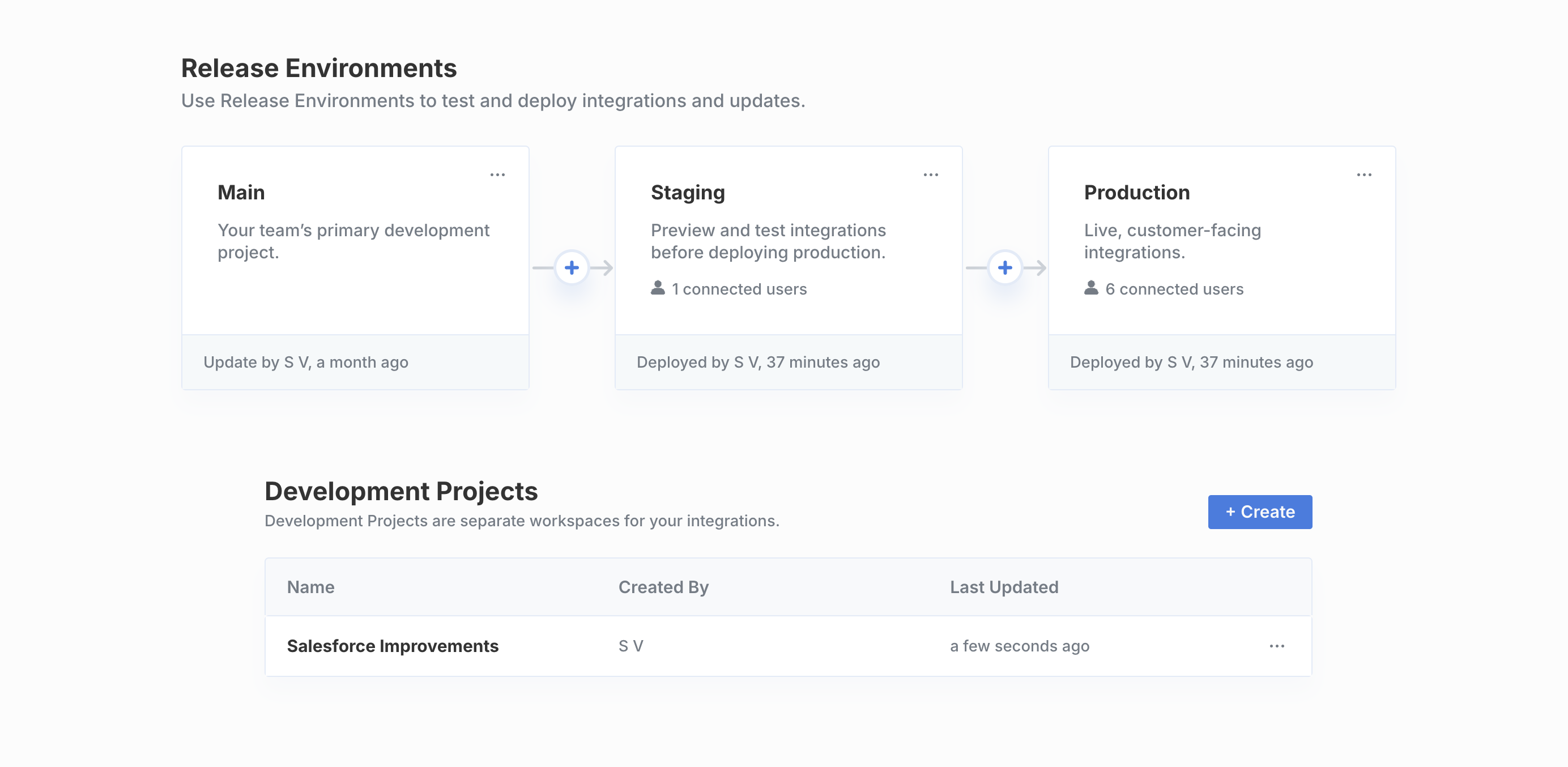
Looking for
read-only Projects?Release Environments provides access to staging and production projects that are read-only, allowing you to safely test and deploy changes across your development pipeline.Creating Projects
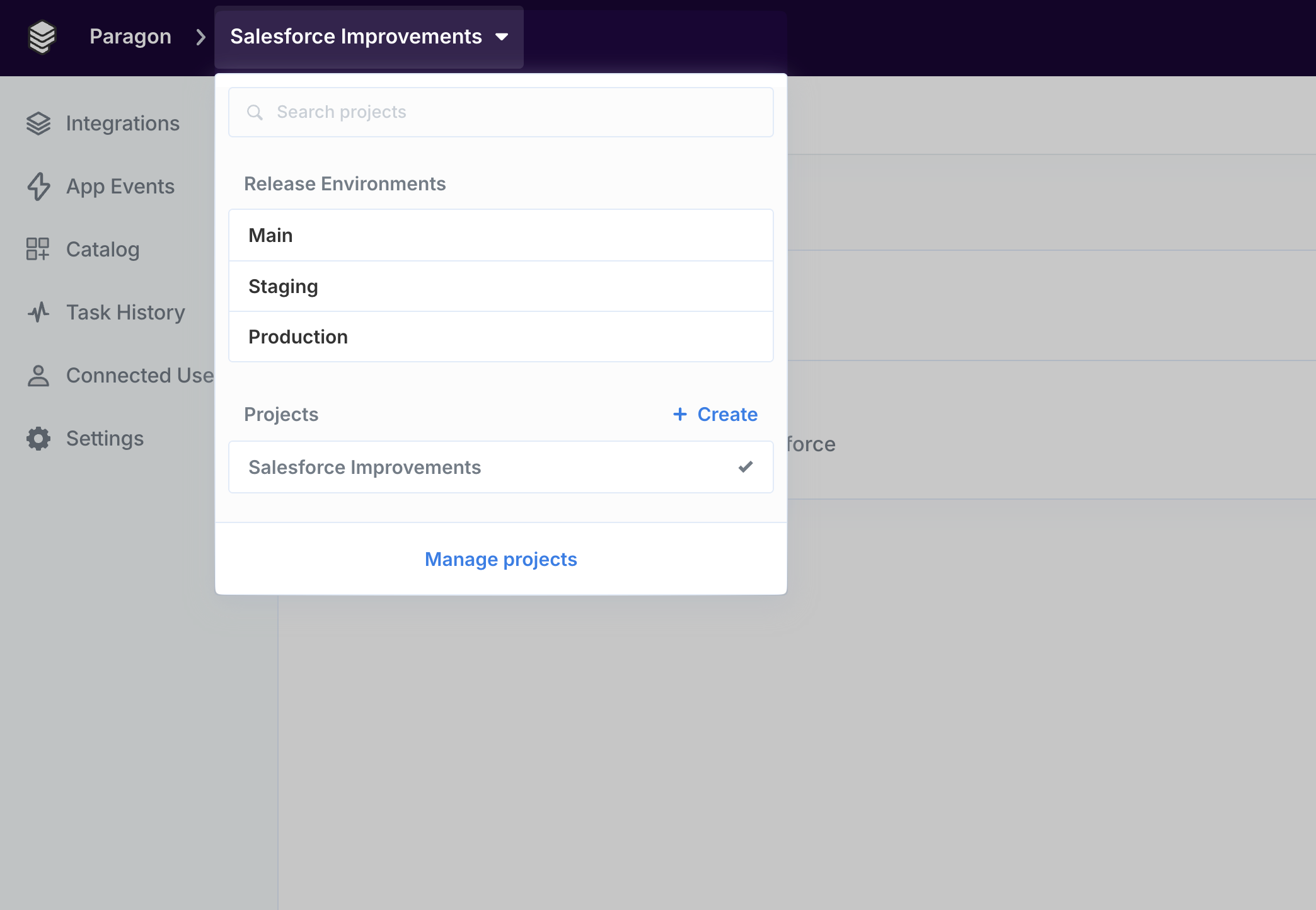
To create a new project:- Click the Project dropdown in the top-left corner.
- Click ”+ Create”
Managing Projects
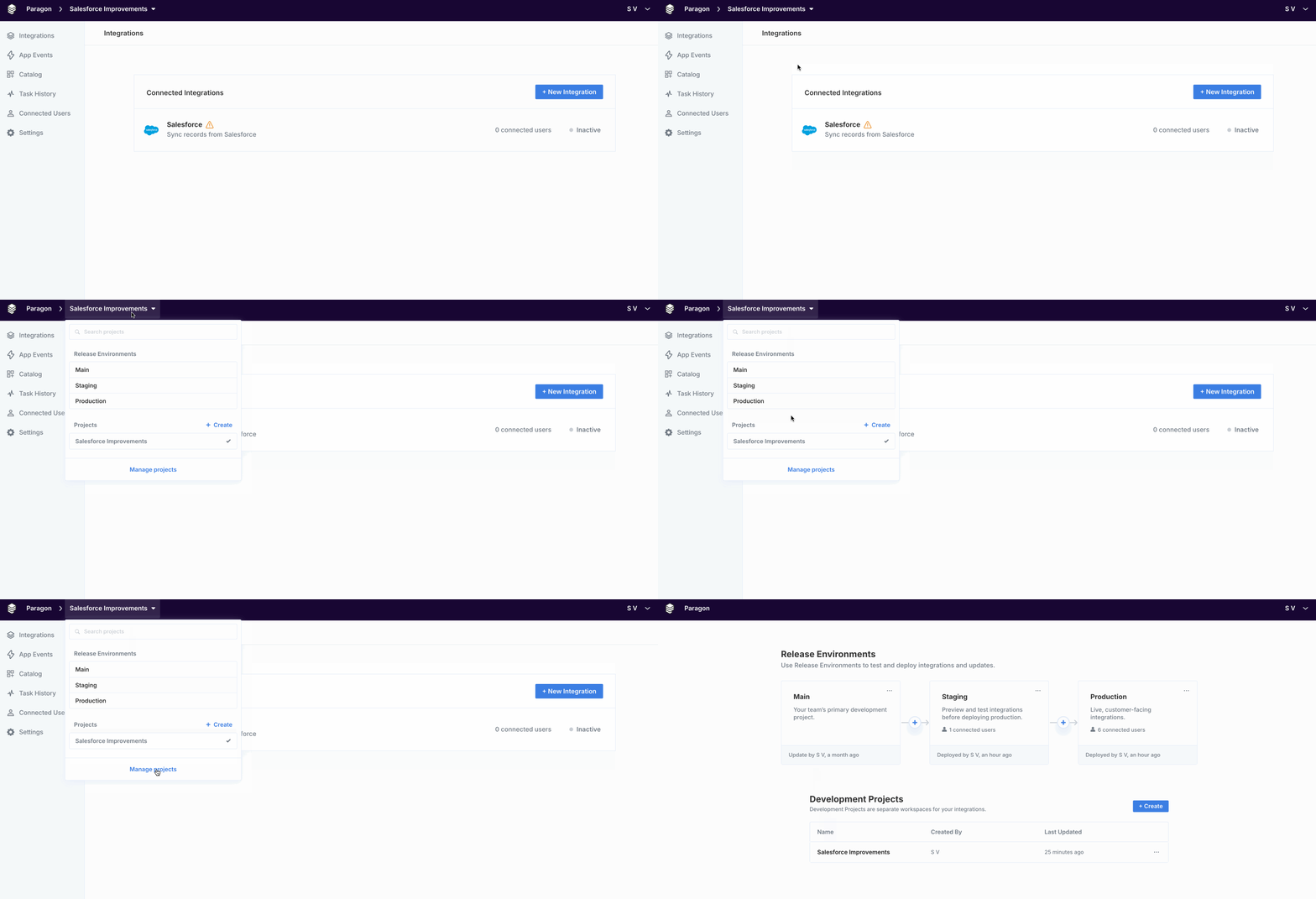
To view and manage projects:- Click the Project dropdown in the top-left corner.
- Click “Manage projects”.
Deleting Projects
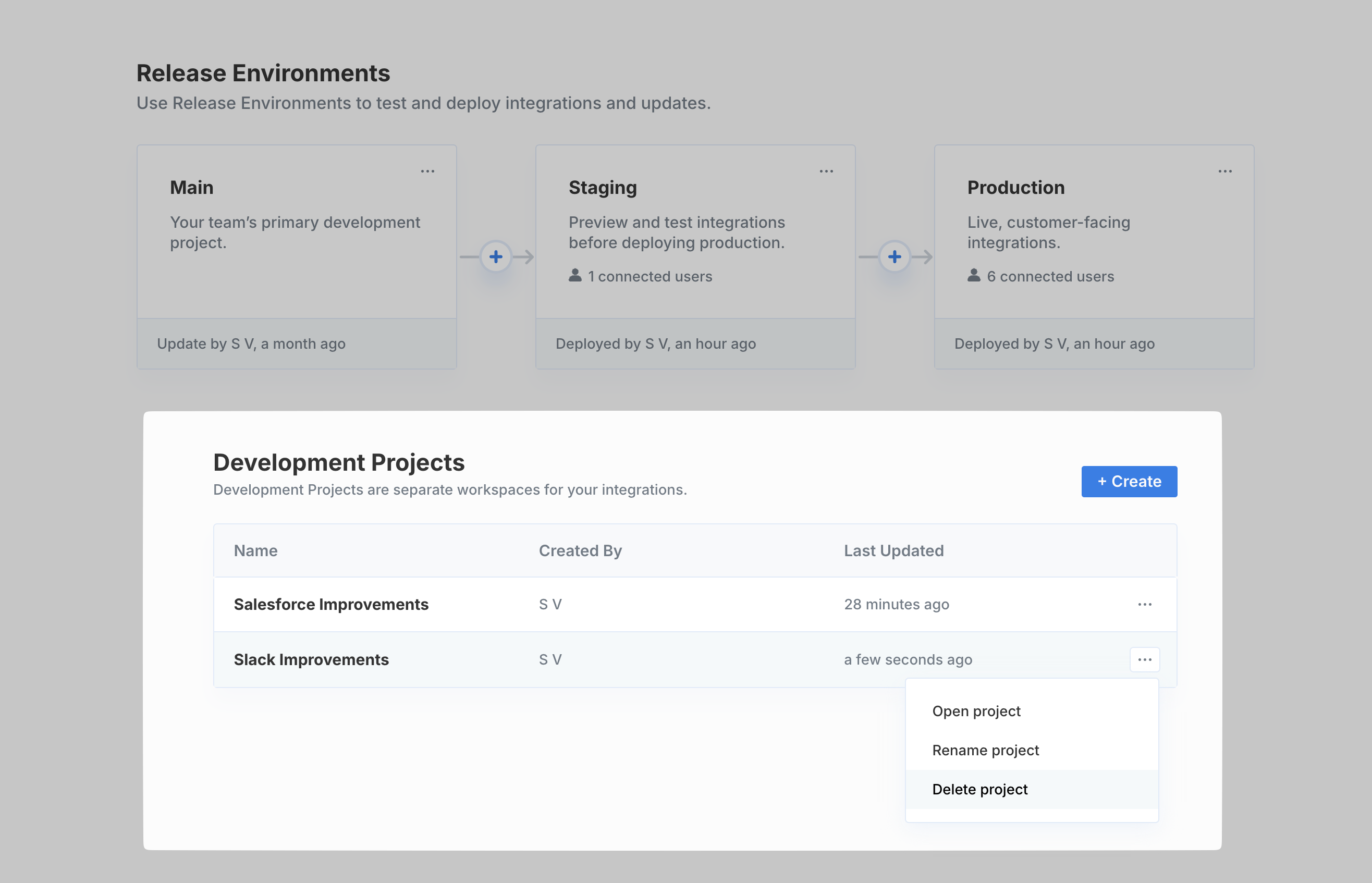
To delete a project:- Click the Project dropdown in the top-left corner.
- Under Development Projects, select the triple-dot menu for the Project you want to delete.
- Click “Delete project”.
Copying Workflows
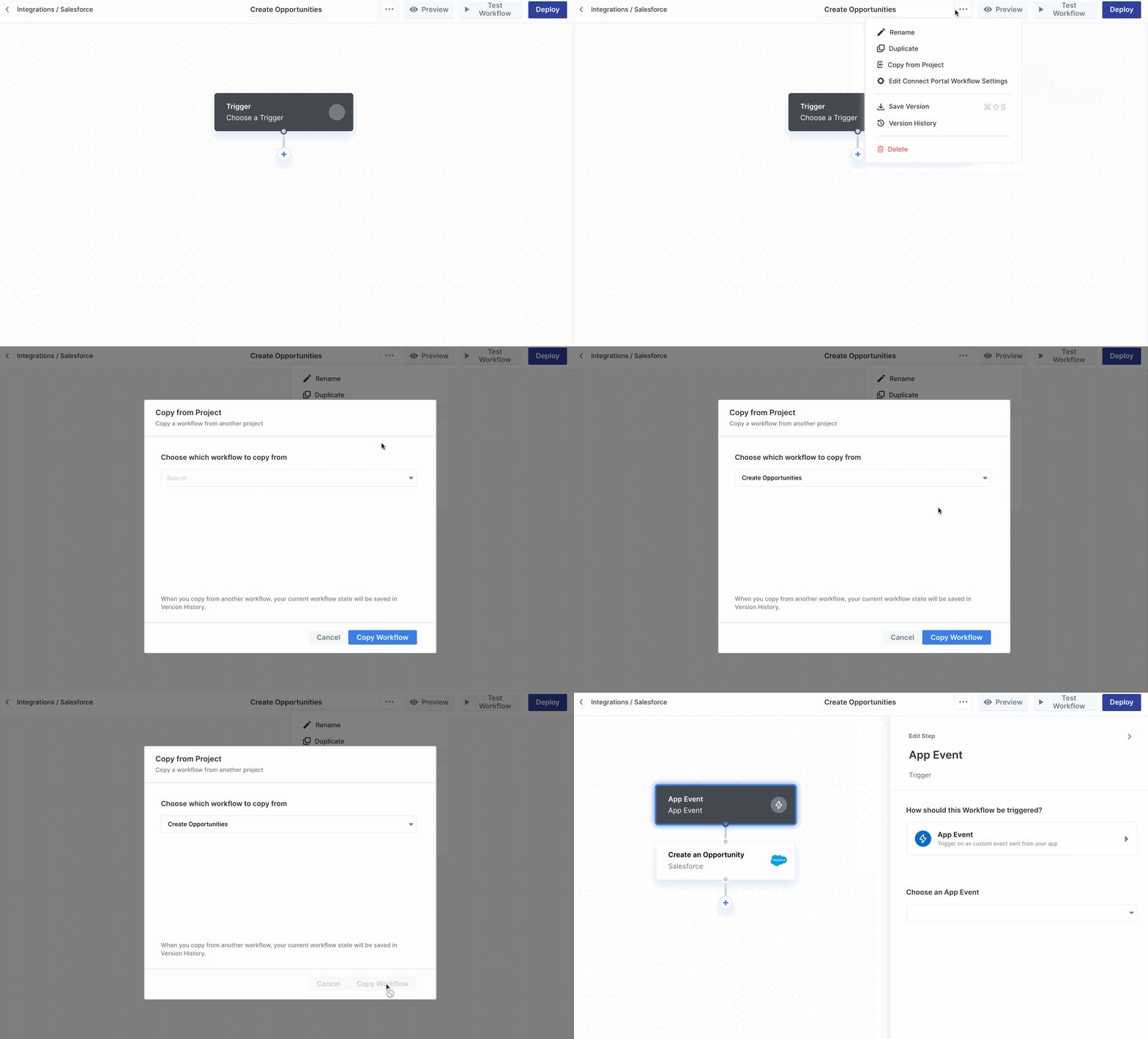
You can copy workflows between projects by clicking the settings menu inside the Workflow Editor, then selecting Copy from Project. When copying from another workflow, your current workflow state will be saved in Version History.