Managed Sync
 ActionKit
 Workflows
- Assign support team members with Support roles for access to the Connected Users and Monitoring pages only
- Designate specific users with Organization Admin roles to manage global settings, including team member access and billing information
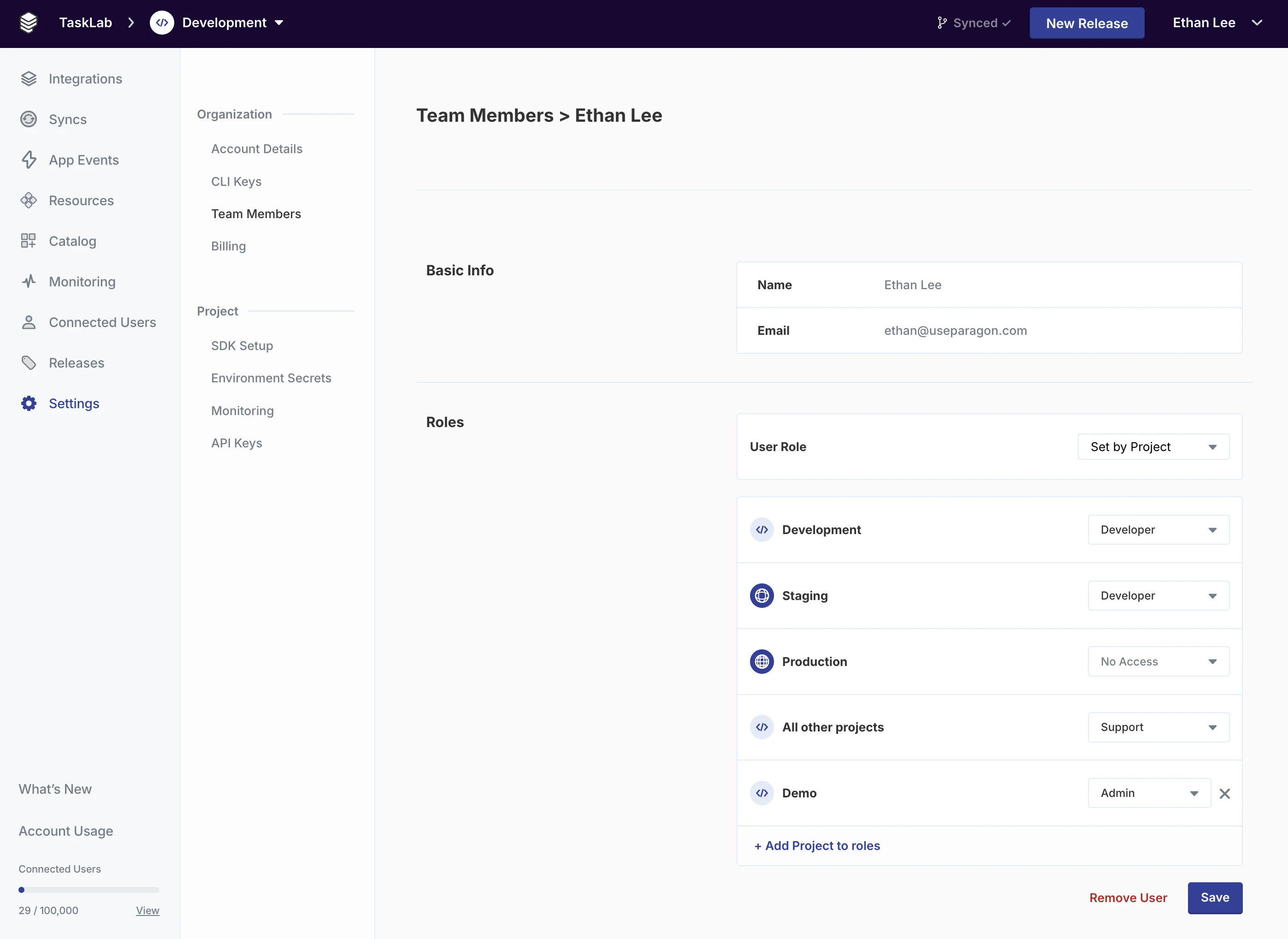
- Invite development contractors and integration partners as Set by Project roles to give them isolated access to a separate project for development purposes
Role-Based Access Control is available for Paragon customers on Enterprise plans. To learn more, contact your Customer Success Manager or sales@useparagon.com.Organization Admin and Developer roles are available for customers on all plans. See Working with Team Members for more information.
Managing Roles
Roles are managed on an organizational/global level. When a role is assigned, that role will apply across all projects. Roles can be managed from the dashboard by visiting Settings > Team Members page for any Project.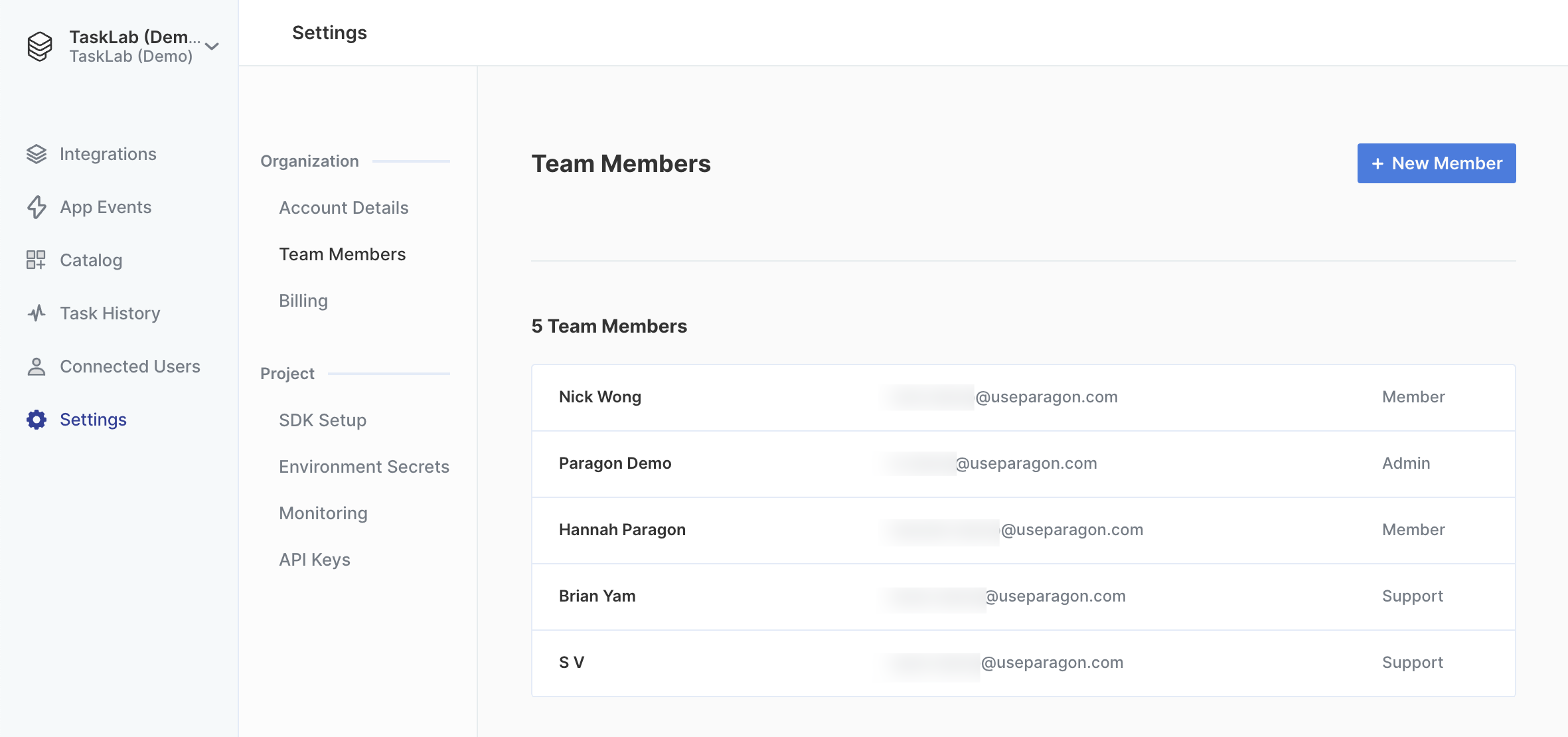
Role Types
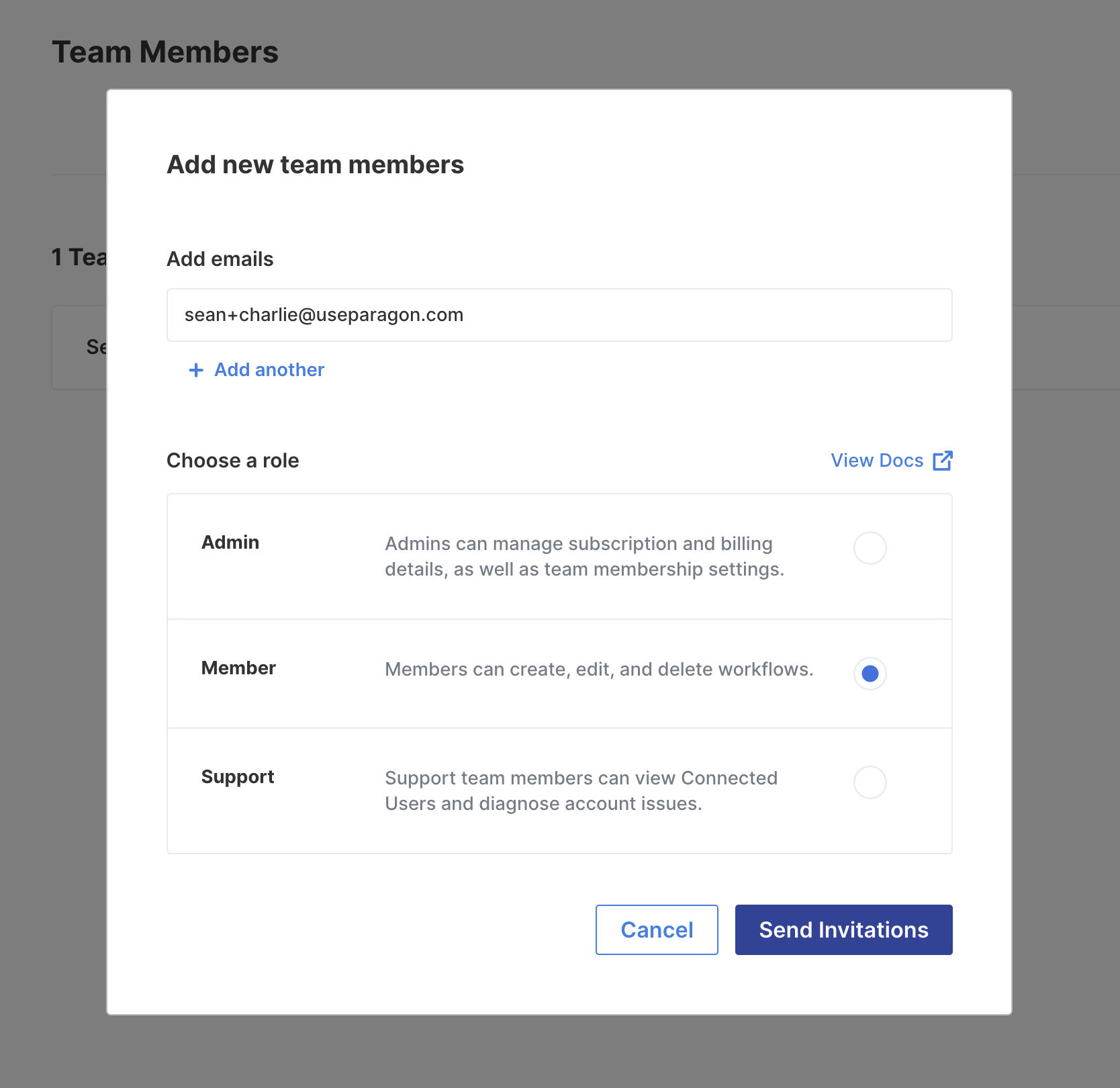
Organization Admin
Organization Admins have full read/write access to all Paragon projects. Organization Admins can also exclusively invite new team members and view billing details.Developers
Developers are allowed to modify integrations and deploy workflows, but they cannot create new Event Destinations or modify existing Environment Secrets.Support
Support members are only allowed to view the Connected Users and Monitoring pages of the dashboard. Using these pages, they can provide support and error information to integration users.Set by Project
Team Members with the Set by Project role can be assigned any of the role types (Admin, Developer, Support) for a specific project(s). By default, any projects that are not explicitly assigned to Set by Project-type team members will not be accessible.